



Every mature vulnerability management program has a scoring model that isn’t CVSS. It might say that anything on the CISA Known Exploited Vulnerabilities (KEV) catalog jumps the queue, that an internet-facing asset outranks an internal one, or that a finding behind a compensating control can wait. These rules reflect years of experience with what gets exploited in your environment.
The problem is where those rules usually live. Most teams apply them after the fact, in a spreadsheet or a ticketing workflow, by exporting findings and re-scoring them by hand. The scanner says one thing, the spreadsheet says another, and nobody can easily answer the question an auditor or an engineering lead will eventually ask: why was this finding scored this way?
Custom Agents in Orca let you apply your scoring model inside the platform, on every alert, with a record of each change on the alert itself.
Why isn’t a single severity score enough?
CVSS measures how severe a vulnerability is in the abstract. It doesn’t know whether the vulnerable package is running on an internet-facing workload, whether the asset holds sensitive data, or whether an exploit is being used in the wild this week.
Orca’s risk scoring already goes further than CVSS by adding cloud context such as exposure, attack paths, and crown jewel status. But every organization has rules that are specific to it:
- A financial services team that treats every KEV-listed CVE on a payment system as critical, regardless of base score.
- A SaaS company that lowers the priority of findings on assets with a documented compensating control.
- A healthcare provider that raises the score of anything touching a regulated data store.
Those rules are policy decisions, and they belong to you. The question is how to apply them consistently without turning your analysts into a re-scoring service.
How does a Custom Agent apply your scoring model?
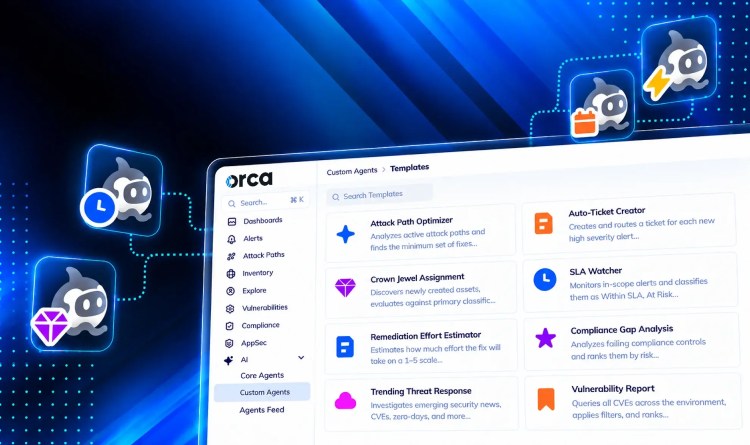
A Custom Agent is an AI agent you configure in Orca with your own instructions, scope, trigger, and tools. For vulnerability scoring, the setup looks like this:
- Context: Alert Context, so the agent evaluates one alert at a time
- Trigger: An alert automation, for example every new vulnerability alert on production accounts
- Tools: Change Alert Score, Add Alert Comment, Web Search, and Open Jira Cloud Alert Ticket
The scoring model goes into the instructions, written the way your team already describes it:
Role: You are the Cloud Vulnerability Scoring Agent. You adjust the risk score on Orca vulnerability alerts when context justifies it.
Instructions: For each open critical or high vulnerability alert, use Web Search to check the vendor advisory and distro security tracker for whether the exact component found is affected, and to check sources like Exploit-DB, GitHub, and security vendor blogs for newly published exploits. Then confirm the vulnerable component is actually running by checking whether its default port is listening on the asset. Raise the score if the asset is a crown jewel, carries an admin-equivalent identity, has an attack path into production data, or a new exploit has been published. Lower it if the vendor says the component is not affected, the asset is tagged sandbox or dev, or the component is not loaded. Never lower a score based on web evidence alone, on an asset with signs of attacker activity, or one a human has already rescored.
Output: If the change passes every gate, use Change Alert Score to set the new score and Add Alert Comment to record the previous score, the new score, and the findings behind it. If a gate blocks it, leave the score alone and report the recommended score with the gate that stopped you.
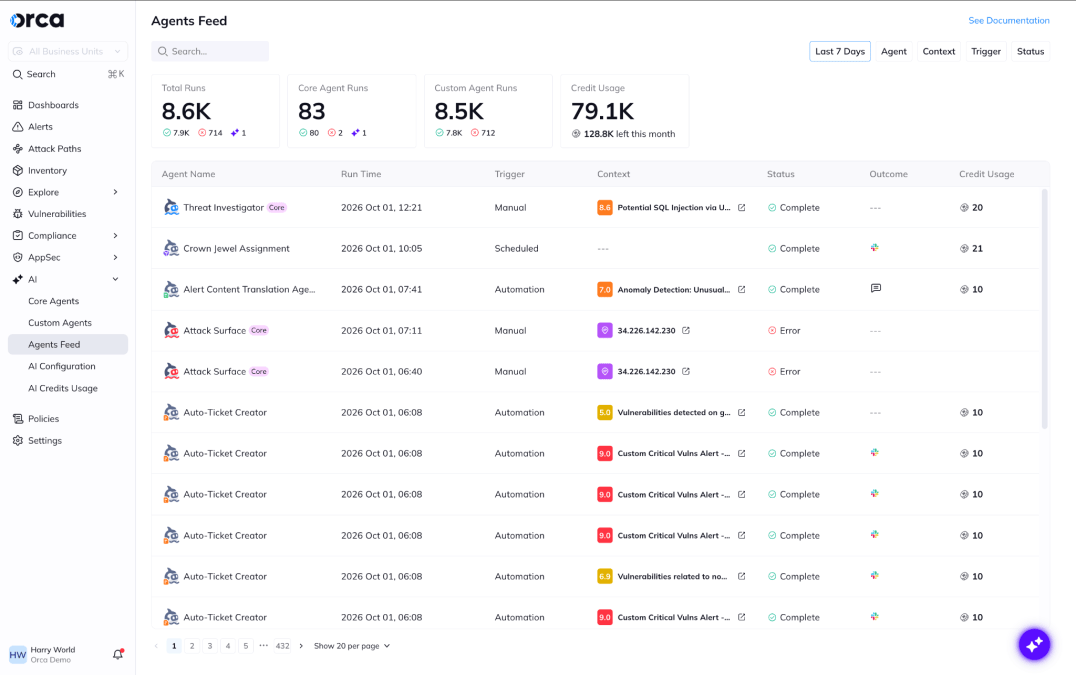
Each run is recorded in the Agents Feed with its trigger, status, and outcome.
Don’t want AI changing your risk scores? Fair. Here’s how you check its work.
A risk score drives what gets fixed first, and an automated change nobody can see or explain is worse than no change at all.
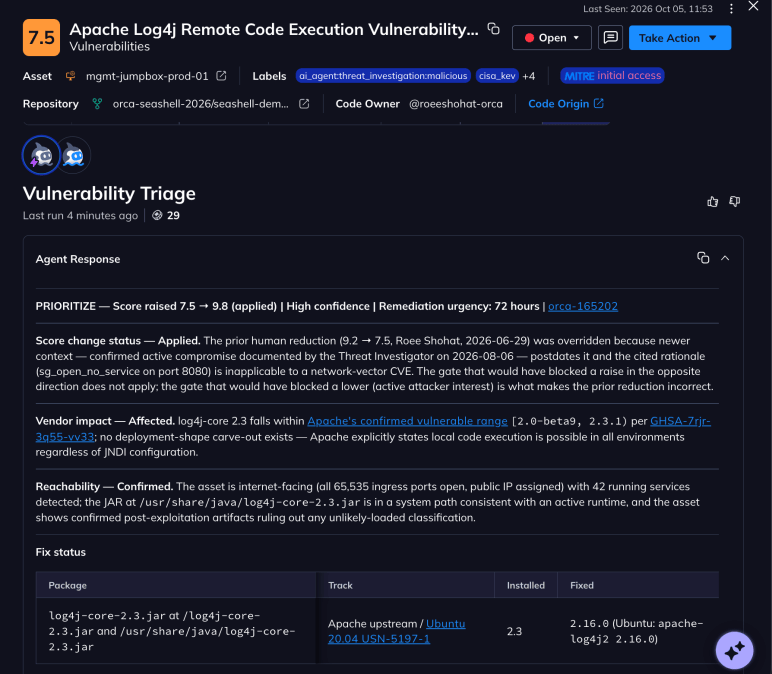
Orca answers this objection on the alert itself. Every score change made is recorded in the alert’s timeline, next to every other event in the alert’s history, whether that change was triggered by human, agent, or integration. The timeline shows:
- The original score, as it was assigned when the alert was created
- The new score, and when it changed
- Who/what made the change, by name and agent type, not an internal ID
- Any comments, stating which rule it applied and why
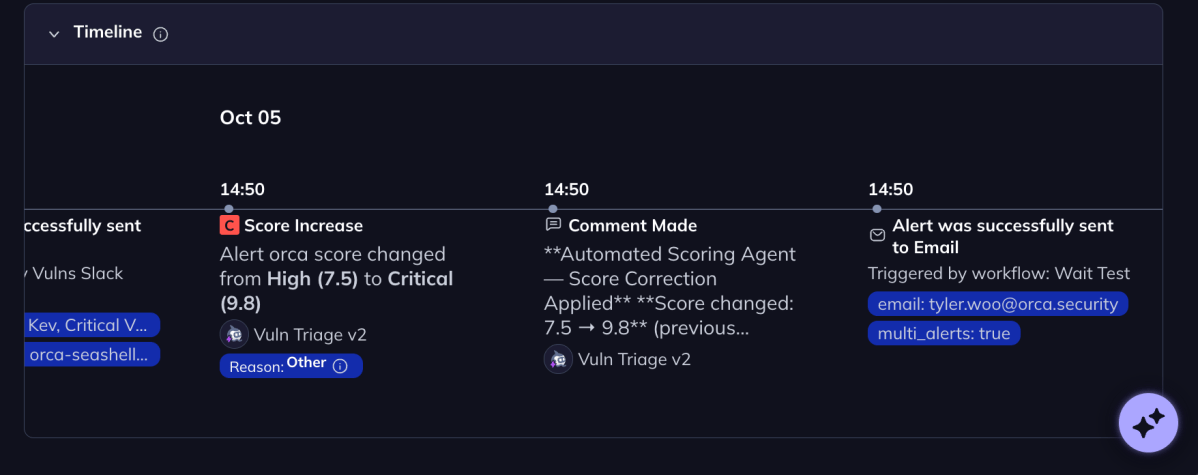
Caption: The alert timeline shows the score before and after the change, the agent that made it, and the reason it gave.
The original score isn’t overwritten or lost. Anyone reviewing the alert, whether an analyst, an engineering owner, or an auditor, can see the full sequence of what happened and decide whether they agree.
An agent’s score change is held to the same standard as an analyst’s. It is attributed, timestamped, and explained on the alert where the decision matters.
Furthermore, the comments tell you the reasoning behind the change. That’s why the suggested instructions shared earlier require the agent to add a comment on every change, naming the rule and the evidence.
Together, the two give a reviewer what they need to challenge a decision. “Raised to critical: CVE listed on CISA KEV as of this week, asset is internet-facing on port 443” is something an engineer can verify in a minute. A bare score change is not.
Want to see your prioritization rules applied to your own alerts? Book a personalized demo.
About Orca Security
Orca Security delivers security for the companies that build. As cloud, code, AI and app generation expand the attack surface, Orca transforms security risk into the context teams need to act. The Orca Platform provides complete visibility across cloud, AI, and application environments, correlates risk across every layer, and prioritizes the exposures that matter most so organizations can remediate faster and innovate with confidence. Trusted by hundreds of organizations, including SAP, Autodesk, Gannett, Lemonade, and Digital Turbine, Orca is backed by leading investors including Temasek, CapitalG, ICONIQ Capital, and Redpoint Ventures. Learn more at orca.security and book a personalized demo.




 Chat with an Orca Expert