



Securing AI in the cloud has historically meant securing models. Teams called Amazon Bedrock or Azure OpenAI, maybe hosted an open model on a GPU instance, and security’s job was to find those services, check their configurations, and keep training data from leaking.
AI Agents changed that. An agent takes the model’s output and acts on it. It calls tools, reads and writes data, opens tickets, runs code, and talks to other agents. To do any of that, it needs credentials and permissions. And in most organizations, nobody reviewed what those permissions are.
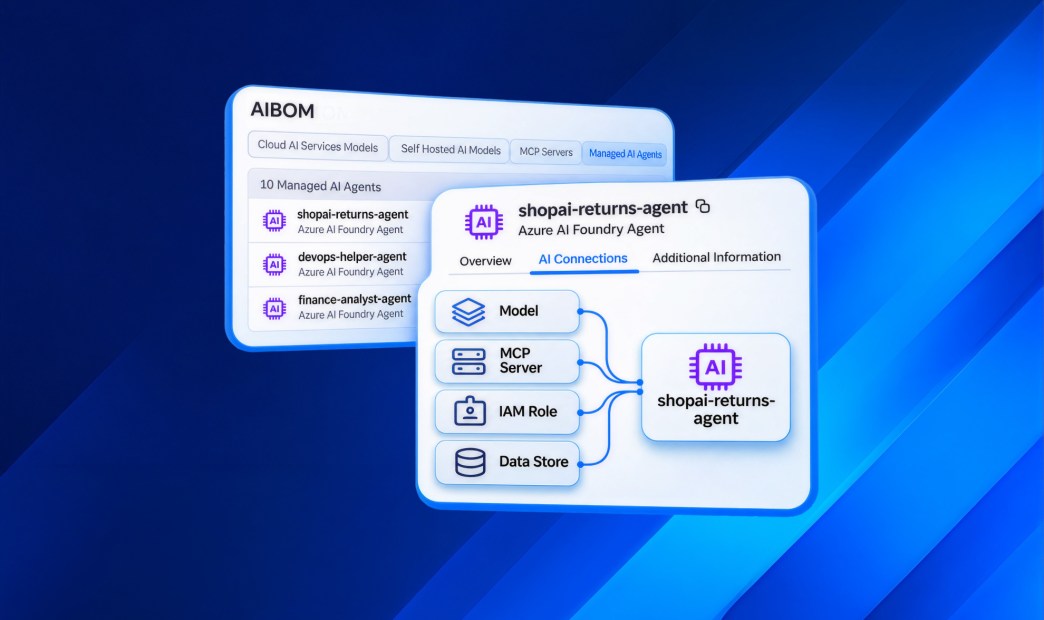
Orca now discovers the agents running in your cloud, both cloud-managed and self-hosted, including the coding agents your developers run on cloud infrastructure. The platform maps what each agent is connected to, and flags the agents that are misconfigured, over-privileged, or within reach of sensitive data.
Why are agents a different kind of AI risk?
A model’s risk is mostly about what it knows and what it says. An agent’s risk is about what it can do. That depends on four things that usually live in four different places:
- The models it calls, managed or self-hosted.
- The MCP servers it connects to, each exposing its own set of tools and running with its own credentials.
- The identity it runs as, typically the IAM role or service account of the workload it lives on.
- The data that identity can reach, from RAG sources and training buckets to production databases.
Agents also tend to blur identity lines. Many run under the same identity as the humans who use them, or inherit whatever role the host machine carries. When a prompt injection lands on an agent, the attacker inherits all of it.
You can’t assess an agent just by looking at the agent. You have to see everything it’s connected to.
Why do existing tools miss it?
Most AI security tools see one layer. One inventories models. Another watches prompts. A third scans code. None of them knows that the LangChain agent on an EC2 instance is authenticated to an MCP server holding a Jira API token, or that its instance role can read an S3 bucket full of customer records.
Consider two agents running in the same account:
- Agent A connects to a read-only documentation MCP server. Its workload role can reach one internal bucket of public product docs.
- Agent B is a coding agent on a CI runner, configured to bypass permission checks so it runs commands with no human approval. It connects to an MCP server whose environment carries a CI/CD API token, and that server exposes tools like delete_bucket_object and revoke_db_access. The runner’s instance role can read a database containing PII.
An inventory lists both as “AI agent.” Only context tells you that one is a low-risk helper and the other is a path to your crown jewels.
Three Ways Orca Delivers AI Agent Security Posture
#1: Inventory as part of the AIBOM
Orca builds one inventory of every AI agent in your cloud, whether your teams use a managed agent platform or build their own.
Every agent appears in a new Agents tab in the AI Bill of Materials (AIBOM), filterable by account, cloud and framework, with new Agents widgets on the AI Security dashboard. Because SideScanning reads workload data out-of-band, there is nothing to install. No agents are required to find your agents.
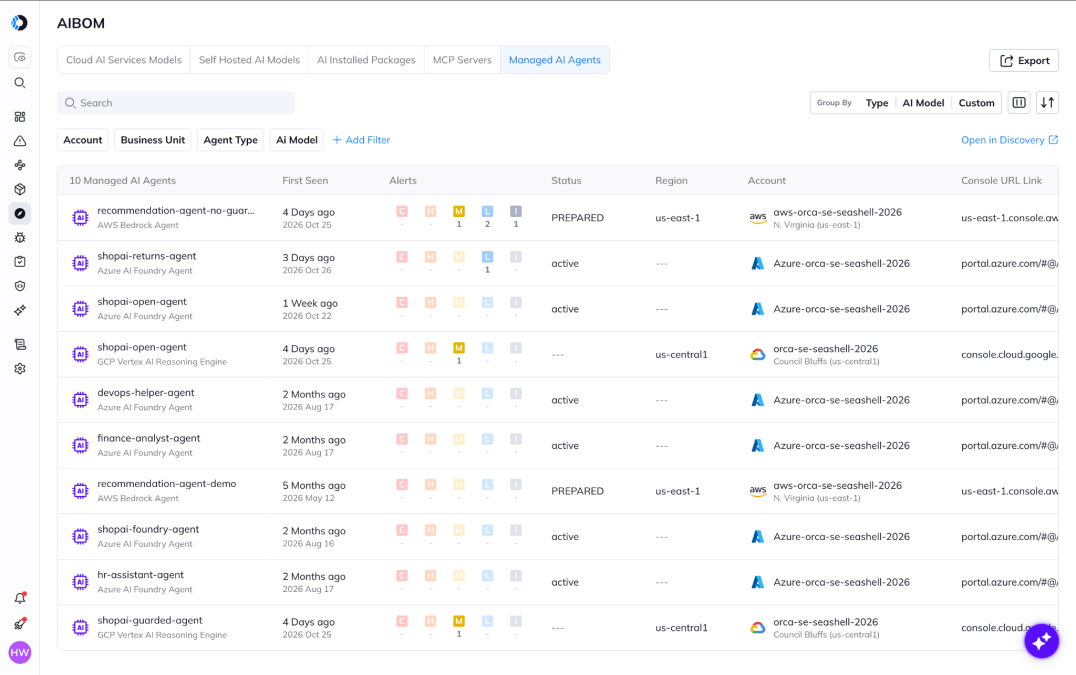
AIBOM in the Orca Platform covering models, packages, MCP servers, and AI Agents
#2: Clear relationships in the Unified Data Model
Orca models every agent as a first-class asset in its Unified Data Model and links it to the things that define its risk:
- The AI models it uses.
- The MCP servers it connects to, whether local or remote, and the tools each server exposes.
- The AI packages it was built with.
- The IAM role it runs as, and the data stores that role can access.
Because these relationships sit in the same graph as the rest of your cloud, an agent’s blast radius is a question you can answer directly: what can this agent touch, and what could an attacker do with it?
An agent inventory tells you what exists. Agent context tells you what’s at stake.
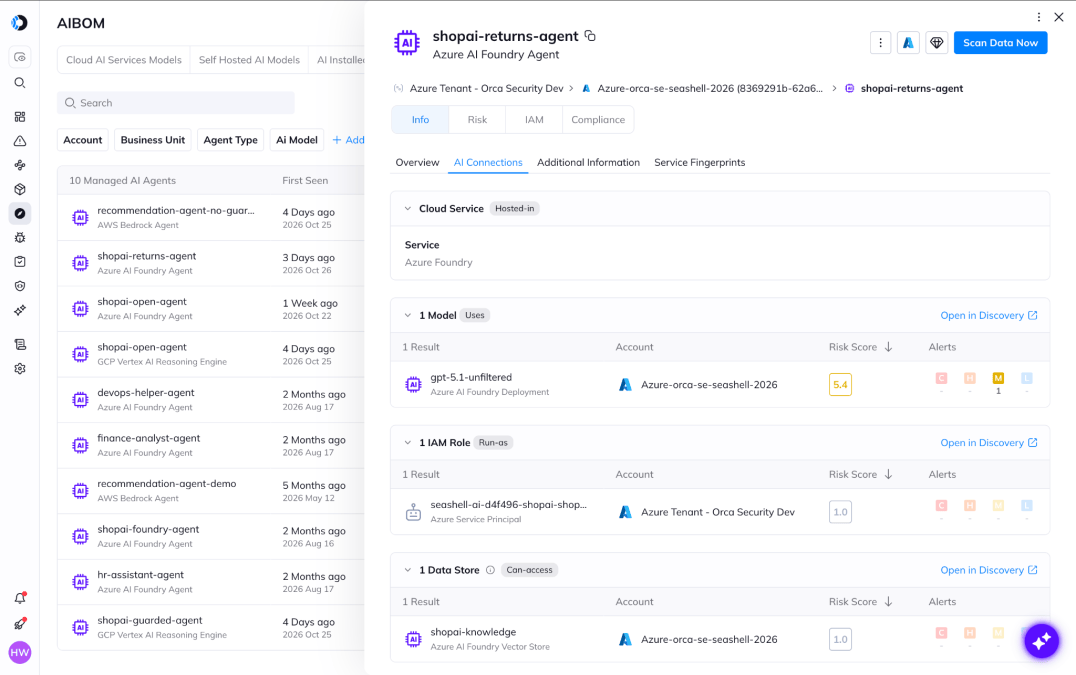
See an AI agent’s connections to models, IAM roles, data stores, and policies in the Orca Platform.
#3: Prioritized risk in context
Orca adds new alerts built for agent risk: misconfiguration, over-privilege, reachable sensitive data, and runtime detections. Findings include:
- AI agents authenticated to MCP servers that hold credentials, such as Jira, Confluence or Jenkins API tokens. A prompt injection against that agent inherits whatever the credential can reach.
- AI agents configured to bypass permission checks, which removes the human approval step before the agent reads files, runs commands or calls tools.
- MCP configuration files containing live secrets. Orca matches the secret value itself, so a hardcoded token is flagged and a safe environment-variable reference is not.
- MCP servers communicating over plaintext HTTP to remote endpoints, exposing tool calls and their data in transit.
- MCP tool sets that grant destructive tools such as deleting data, revoking access or terminating clusters.
Each alert includes plain-language remediation steps and is scored with Orca’s dynamic risk scoring, which weighs reachability, exploitability and blast radius rather than a static severity label. Agents can also serve as points in Orca’s attack path analysis, so an over-privileged agent two hops from a production database ranks above a misconfigured agent with nothing nearby.
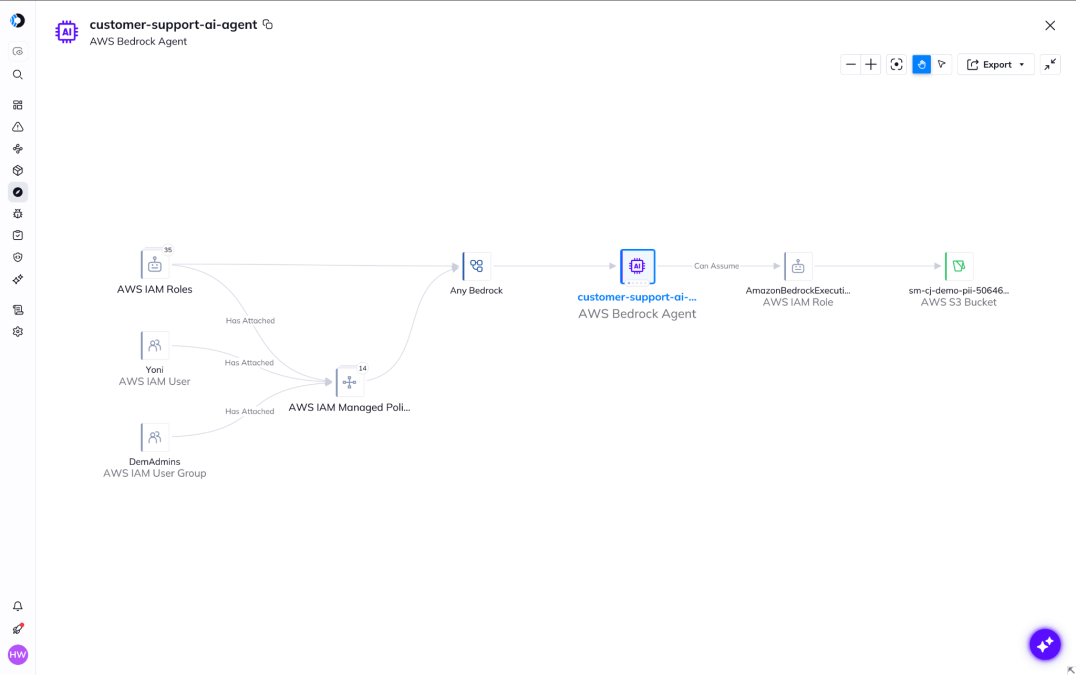
Use Orca to see what an AI agent can access.
What about the coding agents your developers use?
Coding agents like Claude Code, Codex and Gemini CLI don’t only run on laptops. Teams run them on CI runners, cloud dev environments and build servers, where they pick up the host’s cloud credentials. Orca detects coding agents on cloud workloads the same way it detects any self-hosted agent, including the MCP servers they connect to and settings that turn off their approval prompts.
Coding agents also leave a second footprint: the code they write. Orca attributes code to the AI coding agents and models that wrote it, so you can see what share of your codebase is AI-generated, which repositories carry the most risk in AI-written code, and which models are linked to the most alerts.
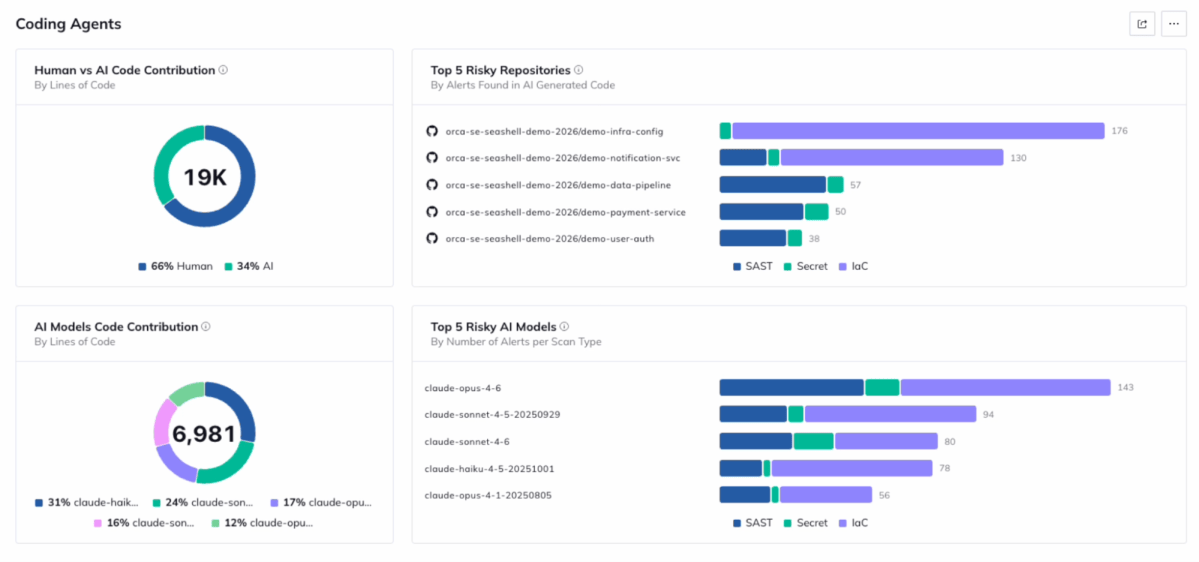
Track the risk contributions of Coding Agents to improve their quality.
Visibility is half the job. Through Orca’s AI Skills Hub, you can plug skills and hooks into coding agents so they pull your security requirements, run AppSec scans, and fix issues to policy before code is committed.
One unified platform for cloud and AI risk
Agent findings land in the same alert workflows, integrations and dashboards your team already uses for the rest of your cloud. There is no separate AI console and no separate severity scale. The question every security team now has, “what are our agents doing and what can they reach?”, gets answered with the same context Orca already applies to workloads, identities and data.
Orca shows you every AI agent in your cloud, what it’s connected to, and which ones put sensitive data at risk, so your team can fix the riskiest agents first without slowing down the teams building them.
Want to see which agents are running in your cloud and how far they can reach? Book a personalized demo.
About Orca Security
Orca Security delivers security for the companies that build. As cloud, code, AI and app generation expand the attack surface, Orca transforms security risk into the context teams need to act. The Orca Platform provides complete visibility across cloud, AI, and application environments, correlates risk across every layer, and prioritizes the exposures that matter most so organizations can remediate faster and innovate with confidence. Trusted by hundreds of organizations, including SAP, Autodesk, Gannett, Lemonade, and Digital Turbine, Orca is backed by leading investors including Temasek, CapitalG, ICONIQ Capital, and Redpoint Ventures. Learn more at orca.security and book a personalized demo.




 Chat with an Orca Expert