


Key findings: How to detect AI-built apps
Somebody in your organization has built an application with an AI app builder. It is running on one of your domains, it talks to a database holding real data, and it went through no procurement, no architecture review and no deployment process. You have no record of it because there was never a step at which a record would have been created.
From the outside these applications are close to invisible. They look like ordinary websites. Most of them run on the builder’s own infrastructure rather than in your estate, so there is no workload of yours to scan, and the ones that do reach a domain you own can be fronted through your own CDN, which erases the hosting fingerprint you would have matched on.
From the inside they are findable. The Orca Research Pod built and attacked real applications on several of these platforms, then measured which signals actually survive across templates and across our own customer fleet. Before you can secure these apps, you need to get visibility into AI systems running in your cloud, and these signals are where that starts. What works:
- Packages the builder’s own scaffolding writes into the repositories it generates, some of which are provably inert anywhere else
- Commit metadata, which is the most durable anchor available, because content gets edited and commit history does not
- Build output that survives compilation into the files a visitor actually receives
- DNS records on custom domains, though only some of them find anything
- Cloud identities and resources a builder creates when a developer wires it to your own data services
Just as important is what does not work, because a detection rule built on the wrong signal produces noise that buries the real finding. We measured that too.
And the thing you are looking for is not the application on its own. It is the application together with the database behind it.
Signal 1: builder packages already in your software inventory
Start with packages, because you are almost certainly collecting them already.
One of the builders writes its own npm packages into the projects it generates. On its own that would not mean much, since a dependency list is full of things a developer chose deliberately. What makes these different is that they cannot function anywhere else. One of them activates only when a platform-specific environment variable is present, and renders only on that platform’s own domain.
Nobody would install it on purpose. It is residue. So if it is sitting in a repository in your estate, that project was created and run inside the builder.
That makes this the cheapest signal available. You are not adding a data source, you are writing a query against something you already have. Three details decide whether that query works.
Match any one of the packages, never all of them. The builder does not write an identical list into every project. Across three real applications, two of its packages appeared in all three, one appeared in a single project, and one in none. A rule that insists on the full set matches nothing at all.
Match the prefix, not the exact name. Package inventories commonly store the version inside the name, so an equality check silently returns zero and a perfectly good approach looks like a dead end.
Accept that one builder gives you nothing here. It ships no proprietary package whatsoever, and that is not a gap waiting to be filled, it is simply how the platform works. Its repositories carry one small configuration file and an HTML file with a default image URL. That is the entire surface.
Why builder names, editor libraries and HTTP headers produce false positives
Search for the builder’s name and you will find noise, occasionally spectacular noise.
One builder’s name is a common English word. A package with exactly that name appears in hundreds of organizations, and essentially every one of them is something else: a Linux device manager, an embedded key-value store, a chat framework, a ride-sharing company, a repository of torque specifications. Another builder’s name turned up in one company’s DNS as a run of records pointing at private addresses. Their internal naming scheme generates codenames as adjective plus adjective plus noun, and the builder’s name happened to sit on the adjective list.
The same vendor that writes those useful packages also publishes ordinary editor libraries that any developer might install. Those appear across many times more organizations than the proprietary ones do, and they indicate nothing whatsoever. A rule that counts them is measuring library popularity, not AI-generated software.
Then there is the shortcut that looks free: grep your stored HTTP response headers for builder names. Nothing new to collect, and the data is already there. When we measured it across the fleet, every single match was a Content Security Policy frame-ancestors entry, which means the site’s owner permits their own site to be embedded inside the builder’s interface. That is close to the opposite of what you wanted to know. It produces a list of companies that integrated with a builder, not companies that built something with one.
We dropped two header-based approaches for the same reason. Both told us where an application was hosted rather than who wrote it, and hosting turned out to imply the builder in a tiny fraction of cases.
Whole words and exact values, then. Never substrings. That one discipline is the difference between a rule your detection team keeps and a rule they mute within a week.
Signal 2: commit metadata and bot authors
Anything you can find inside a file has a shelf life. We know because our own research notes have been wrong twice in the same direction: markers we had treated as the primary tell for one builder are absent from every template we have generated since.
Commit metadata does not drift like that.
Two of the builders we studied commit generated code under a dedicated bot identity, one of them with more than 180,000 public commits to its name. A developer can open a generated file and delete a marker in ten seconds. Rewriting the authorship of an entire repository is a different kind of act, and almost nobody bothers.
Two things make this better than it first looks. In the AI-built repositories we examined, effectively every commit belonged to the bot, so the proportion of bot commits is a triage signal in its own right. When it sits at one, nobody has ever opened that application by hand.
And the baseline is clean. Across the distinct commit authors visible in our fleet data, not one was a bot of any kind. This is not a needle you have to separate from a haystack. There is no haystack.
Not every builder hands you this. One of them commits under the developer’s own identity and leaves nothing behind at all, which is worth knowing before you invest in collecting it.
Signal 3: builder markers that survive into compiled build output
A marker in a source tree tells you about a repository. A running application has been through a bundler, and most of what identified it in source is gone.
A few things do survive, and those are the ones that matter for anything already serving traffic. Across the builders we looked at, the survivors included a runtime error-reporting hook attached to the global object, asset URLs pointing back at the builder’s own domain, a default social-preview image URL, and, on one platform, a generator tag naming the builder in the page’s own metadata.
That last one is the best of them. It is a single line in an ordinary source file, it was present in both applications we generated on that platform, in source and in compiled output alike, and tens of thousands of public files carry it. It is also the one marker with no file of its own, which is why anyone auditing a repository by eye walks straight past it.
Which markers survive is specific to the template, and this is where re-verification matters most. Before you ship a rule, generate a fresh application on the platform and confirm your marker is still in the output. One of ours was not, and we only caught it because somebody rebuilt the test application instead of trusting notes written months earlier.
When you go looking, check application roots, web document roots, build output directories and container image layers. Then check user home directories, which is not optional. The real applications we studied lived under somebody’s home directory rather than in a tidy system path. Agentless scanning can read these locations, home directories included, without installing anything on the workload.
Signal 4: DNS records on custom domains
A custom domain gives you a DNS record to match, and for one builder that works well: your own records resolving into the platform’s dedicated address space, plus a verification record with a fixed prefix.
The detail worth carrying forward is which half of that does the work. Matching the builder’s hostname in DNS values found us a couple of organizations. Matching its dedicated addresses found an order of magnitude more.
For a builder with no address space of its own there is no equivalent. Its custom domains resolve into general-purpose cloud ranges shared with millions of other tenants, which you cannot match on without drowning in false positives, and its default hostnames live in the builder’s own zone, so they never enter your DNS at all. Until somebody pays for a custom domain, there is nothing there to see.
Signal 5: cloud identities that show an AI-built app’s blast radius
When a developer connects one of these builders to a data service in your own cloud, the builder provisions named artifacts inside your account. We reproduced this end to end across several integration paths: an identity holding read access to specific buckets, a query-service identity with permissions over a data catalog and a results bucket, catalog databases and tables describing your data, and, on another cloud, a service account with storage roles including one that could write.
What makes this the clearest evidence available is not that it names the builder. It is that the policy and the catalog entry tell you exactly which of your data an AI-generated application can reach. Every other signal in this post finds an application. This one measures the blast radius. Left unreviewed, a builder-created role can quietly join your list of overly permissive cloud identities.
It is also the least universal. One of the builders we studied provisions nothing in your cloud on any path, so there is no equivalent to go looking for.
Pair every AI-built app with the database behind it
What you are hunting is not the app on its own. It is the app together with the database behind it, and neither half is the risk by itself. Because the data is where the exposure lives, it pays to find and protect sensitive data across your cloud, so you already know what an AI-built app could reach when you find one.
Be careful how you find that second half, because a database client in a dependency list is not a database. Applications generated by one builder declare a client for a specific managed Postgres and then never use it, because it is template boilerplate rather than a decision. Of three real ones we took apart, one kept everything in memory, one used a completely different database, and one ran its own.
The reverse is just as common. An application on another platform that genuinely did have that managed Postgres attached carried no trace of the vendor anywhere in its source, because the connection string is injected at deploy time and the code only ever names an environment variable.
So the applications that declare a database and the applications that have one are two different sets, and neither bounds the other. Only an observed connection string or hostname proves the database is real. Whatever your rules record, give both halves a shared key from the start, so an analyst is handed one finding rather than two unrelated ones. Ours carries one, and it is the single field we refused to ship without.
It is worth being plain about severity, because it decides whether any of this is an alert or an inventory entry. A default-configured application on these platforms keeps its data off your premises with row-level security enabled, and does not leak on its own. Treat what you find as inventory and AI security posture management, not as an incident. Escalate when a builder artifact sits next to a secret on a scanned asset, or when the builder has been wired into your own cloud data. A database reachable through a generated function holding an administrative key, which is what we walked through in part 4 of this series, is a real finding. A generated to-do list is not. Drawing that line is how you prioritize the risks that matter most, instead of treating every generated app as an emergency.
A six-step checklist for finding AI-built apps in your estate
The platform-specific values are the one thing you have to supply, and all of them are either published or observable from a single generated application: the vendor’s package scope, its address ranges, its bot commit address, its asset domains.
- Query your package inventory first. Prefix match, fire on any one of the set, and exclude the vendor’s general-purpose libraries.
- Look for bot commit authors across your repositories, and treat a repository with a bot-only history as generated until somebody shows you otherwise.
- Search your document roots and build outputs for the markers that survive compilation, not the ones that only ever existed in source.
- Check DNS values against the builder’s address space, not just its hostname.
- Audit your cloud for identities named after a builder that hold data permissions, then read the policy to see what they can reach. Whole words only.
- Join every hit to its database, then re-verify your markers against a freshly generated application before you trust any of it. Ours drifted twice.
None of this is exotic work. The signals sit in data most estates already collect, and the reason these applications stay invisible is not that they hide well. It is that nobody has gone looking with the right query. The one thing that will not keep is the query itself, so whatever you build, put a date on it.
How Orca helps you find and secure AI-built apps
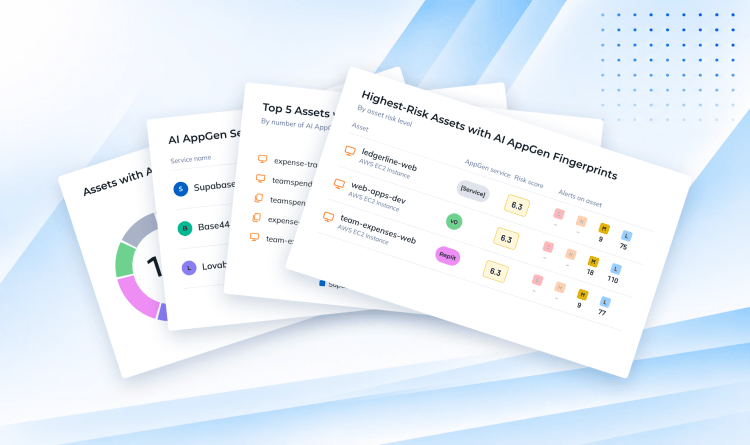
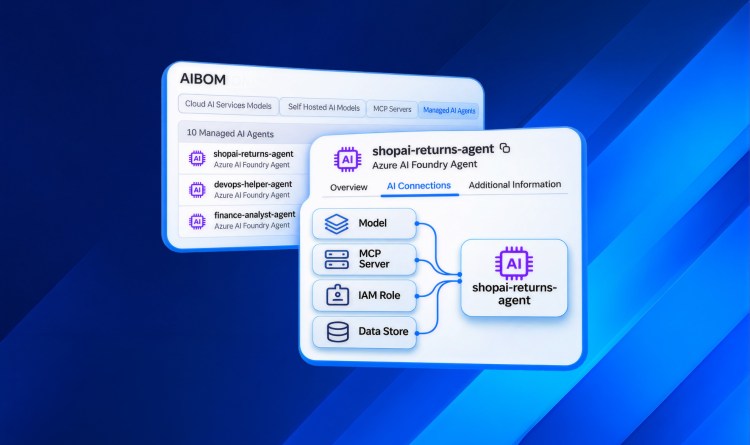
Everything above is a method you can run yourself, with queries you write and re-verify as the builders change. Orca AI AppGen Security helps you uncover apps built with AI tools and brings that discovery into the Orca Cloud Security Platform, so security professionals can protect builders and enable their organizations to grow using AI.
For every app it finds, Orca maps risk across the app’s APIs, integrations and data access. That keeps the application and the data behind it together as one finding, which is the pairing this research argues for.
Findings are prioritized by business impact in the same risk model as the rest of your cloud estate. A generated to-do list stays an inventory entry. A builder wired into production data moves to the top of the queue.




 Chat with an Orca Expert