


Key Takeaways
- The Orca Security Browser Extension is now live on the Chrome Web Store, surfacing Orca’s security findings directly inside the AWS Management Console.
- Users get a contextual asset overview for the exact resource they’re viewing, a relevant news and alerts feed, guided empty states, and secure OAuth login, all without leaving the console.
- Everything runs where cloud engineers already work, closing the gap between spotting a risk and understanding it.
The Cost of Switching Tabs
Cloud engineers and developers live in the AWS console, not in a security platform. So when a question comes up about a resource’s risk, the only path has been to stop, open a new tab, and go looking for that asset inside their security tooling.
That detour costs time, and it pulls the user out of their existing workflow, especially since they’re already looking straight at the resource in question. They need to be able to stay in that AWS workflow, investigate the resource, and move straight into triage and remediation, not context switch just to understand what they’re looking at.
The Orca Security Browser Extension closes that gap, bringing Orca’s context to where the work already happens, so teams can identify, investigate, and remediate issues faster and easier within AWS, and without leaving their existing workflow.
See Orca Data Right Where You’re Working
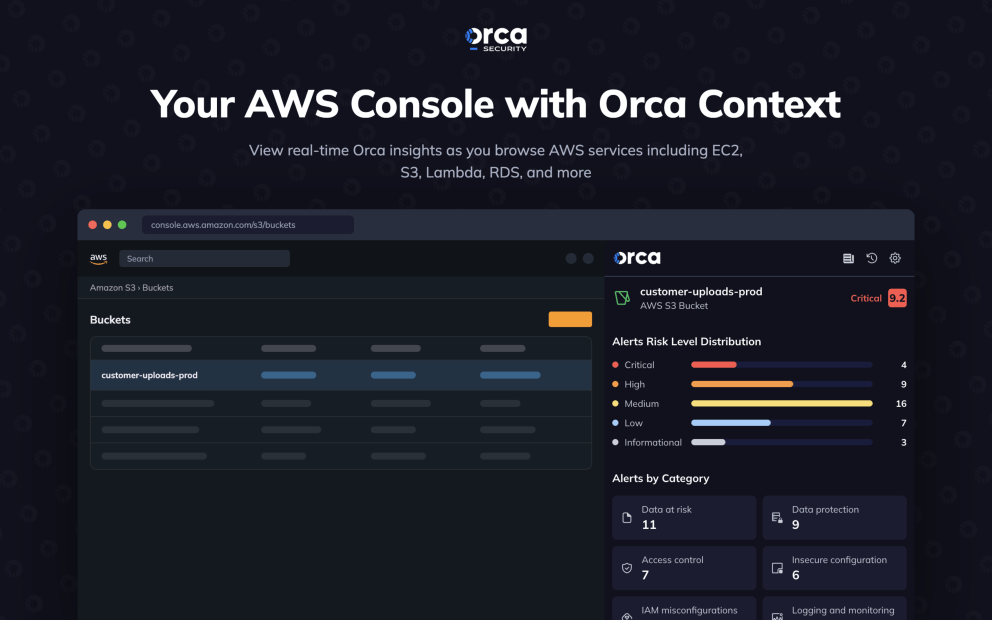
Once installed, the extension sits alongside the AWS console and surfaces what matters as you browse.
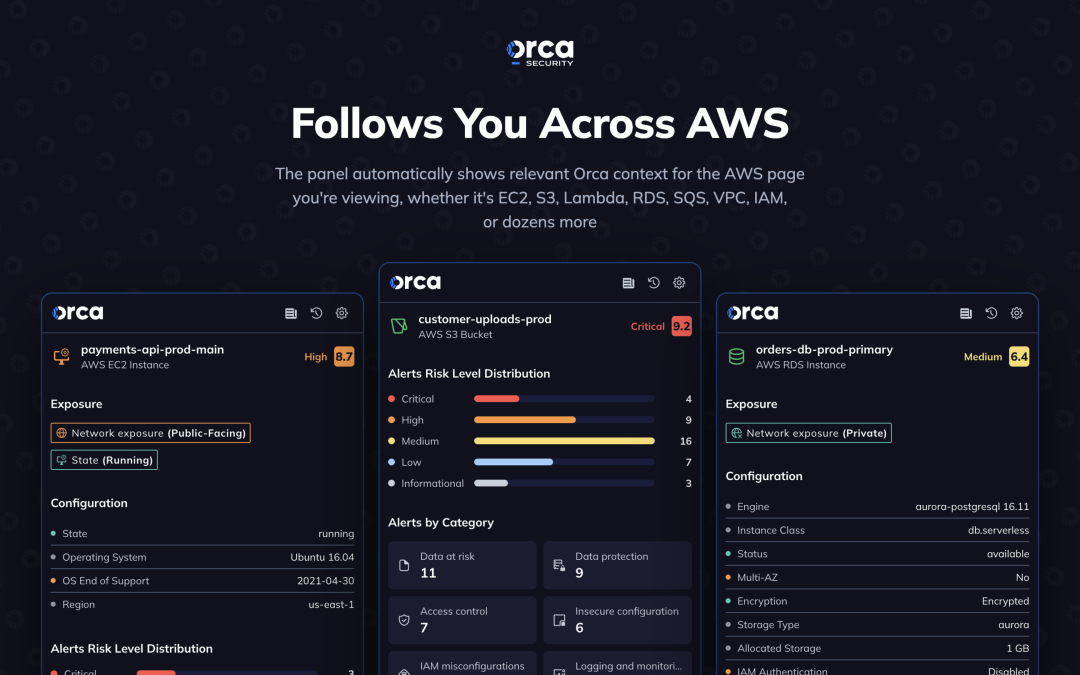
A contextual asset overview shows Orca’s findings for the exact resource currently on screen, covering the services engineers touch most, including EC2 instances, S3 buckets, IAM roles, Lambda functions, RDS databases and snapshots, SQS queues, and VPCs, with no searching required back in the platform. A built-in news and alerts feed keeps relevant security updates visible in the extension panel itself. When there’s nothing to show, a guided empty state points users to where they can go next instead of leaving them stuck. And getting set up takes one simple, secure OAuth login.
The result is a lightweight companion that keeps security visibility in view without asking anyone to change how they already work.
Built to Grow With Your Cloud
This release focuses on the AWS services engineers rely on most. From here, coverage keeps expanding across the rest of the AWS catalog, and the team is exploring bringing that same in-console context to Azure and Google Cloud down the line, as the extension grows to match how teams actually work across clouds.
Security for the Companies that Build
The companies building fastest in the cloud secure it with Orca. Orca is the agentless-first cloud security platform built to give security teams deep visibility, accurate context, and actionable fixes across AWS, Azure, Google Cloud, Oracle Cloud, Alibaba Cloud, and Kubernetes, powered by Orca’s patented SideScanning technology, so builders never have to trade speed for security.
Learn More
Install the Orca Security Browser Extension from the Chrome Web Store and start seeing Orca context right inside the AWS console. Want the full platform tour? Schedule a personalized 1:1 demo.



 Chat with an Orca Expert