


Critical Kubernetes CVEs arrive constantly. Some hit an operator or controller, some the Linux kernel underneath your nodes, others the container images your teams ship every day. Each one comes with a CVSS score and an urgent recommendation to patch.
What it doesn’t come with is context. A CVSS score tells you how bad a flaw could be in theory. It can’t tell you whether the vulnerable component runs in your clusters, whether anyone could actually exploit it, or what it can reach. Without those answers, teams either scramble to patch everything at once or let the CVE sit in a backlog until it’s forgotten.
Kubernetes makes this harder than most environments. Workloads are ephemeral, permissions are spread across roles, bindings and service accounts, and a single foothold can travel from a pod to a node, from a node to the cloud account, or through a privileged operator to everything it manages.
This post walks through a repeatable approach for triaging any Kubernetes CVE in Orca, then puts it to work on a real example: Copy Fail, a Linux kernel flaw affecting nodes across nearly every major cloud and operating system.
How to triage a Kubernetes CVE: Four questions to ask
Whatever the CVE, effective triage comes down to the same four questions. Orca answers each one from a single platform for cloud security, across every cluster and the cloud accounts they run in.
- Where does it run?
- Is it internet exposed?
- Is it exploitable?
- What can it reach?
Each answer narrows the list for the next, so a CVE that touches dozens of clusters ends with a short, ranked set of actions. Here’s how that looks on a real example.
The example: Copy Fail (CVE-2026-31431)
Copy Fail is a bug in the Linux kernel that lets an ordinary user quietly give themselves full admin (root) access. In Kubernetes, that means an attacker who gets into any container can take over the node it runs on, and from there, potentially everything that node can reach. Here’s how Orca takes you from the headline to a fix.
Step 1: Find which nodes and images are affected
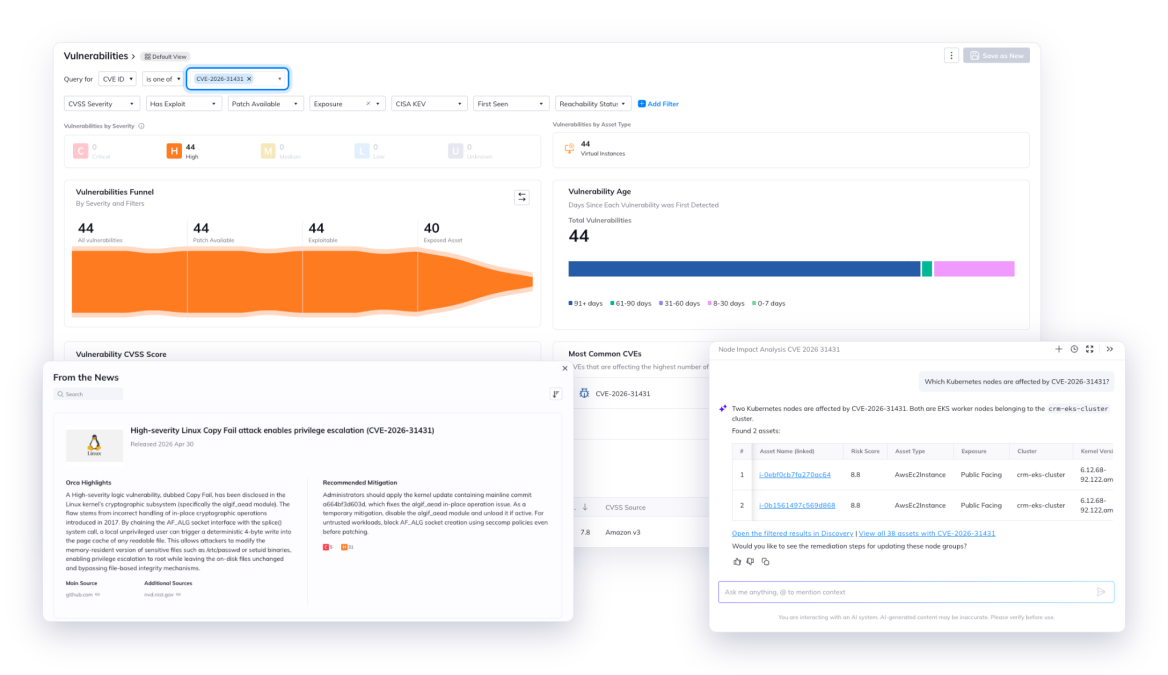
Orca’s emerging threats feed, From the News, flags Copy Fail with a plain-language summary and recommended fix. From there, search CVE-2026-31431 in the Vulnerabilities view, part of Orca’s agentless vulnerability management, to see every affected node, node pool and image across clusters and clouds, with the fixed kernel version for each.
Prefer plain English? Ask Orca AI, an AI reasoning engine for security teams, “Which Kubernetes nodes are affected by CVE-2026-31431?” and get the same answer in seconds.
Step 2: Check whether affected nodes or pods are internet exposed
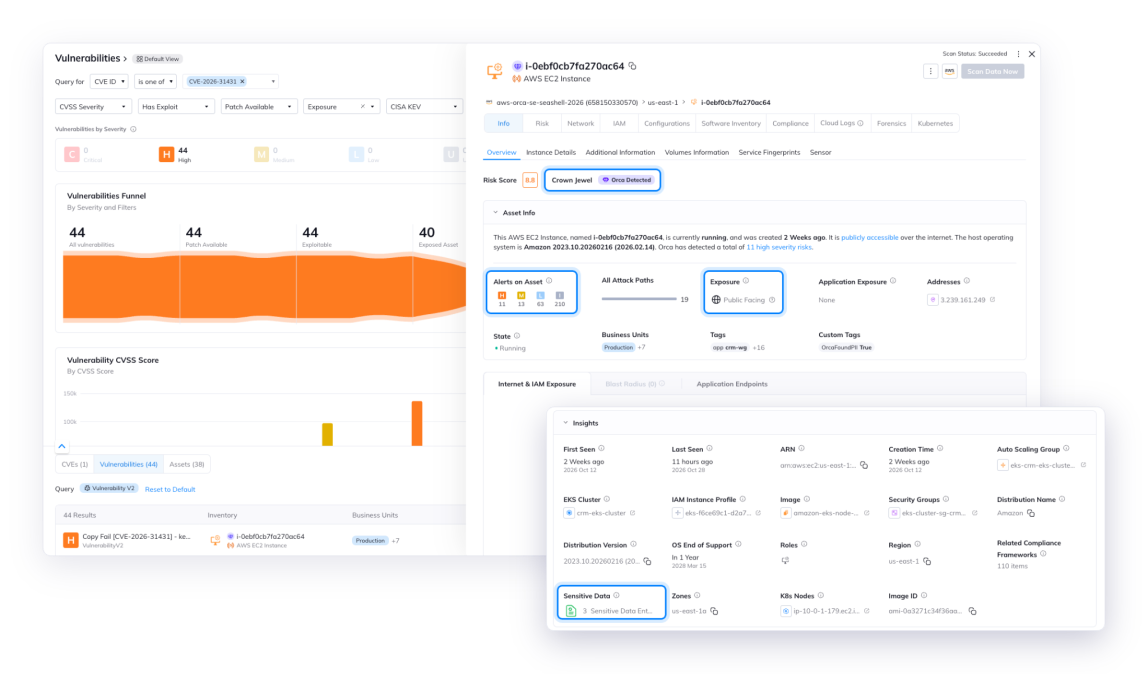
Copy Fail needs a foothold inside a pod first, so checking the node alone isn’t enough. A node can sit on a private network and still run a pod that’s reachable from the internet through a LoadBalancer or an Ingress. If that pod is compromised, the attacker lands on the node’s kernel just the same. Click into an affected node to see its asset details, including whether the node or any workload running on it is publicly accessible, and how many high-severity risks it carries. Nodes with any internet-facing path go to the top of the list. Nodes with no exposure still get patched, just on a normal cycle.
Step 3: Confirm whether the CVE is exploitable
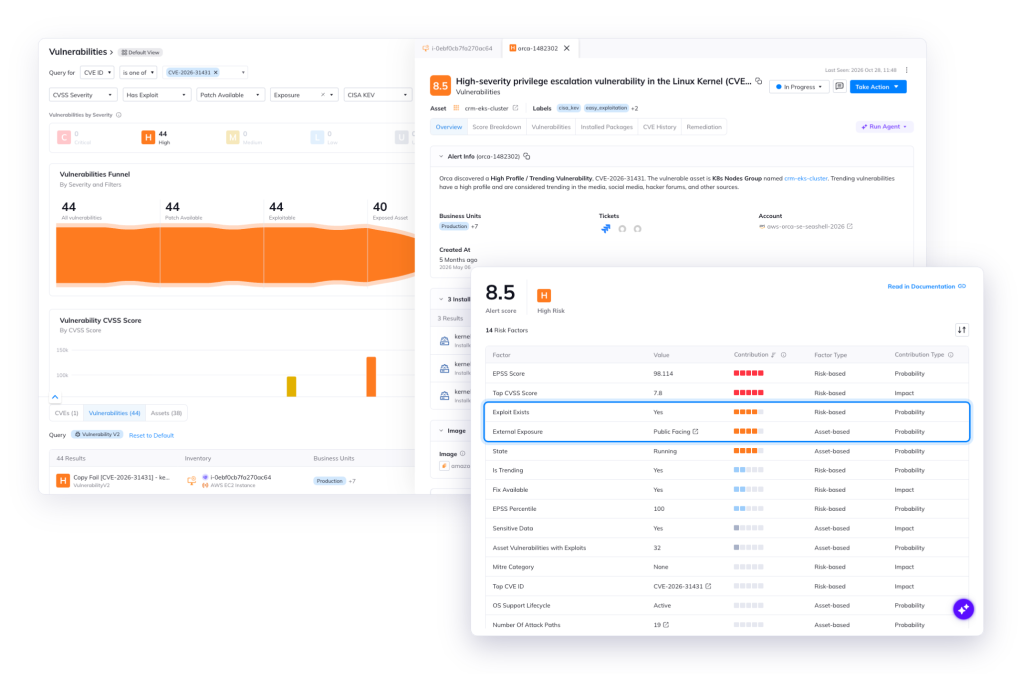
Open the Copy Fail risk on that node to see the vulnerable kernel package it affects, along with Orca’s exploitability and risk scoring details. Copy Fail has public exploit code, so the answer is yes, and on a node with an internet-exposed workload, that moves it from “patch soon” to “patch now.”
Step 4: Map the attack path from node to cloud
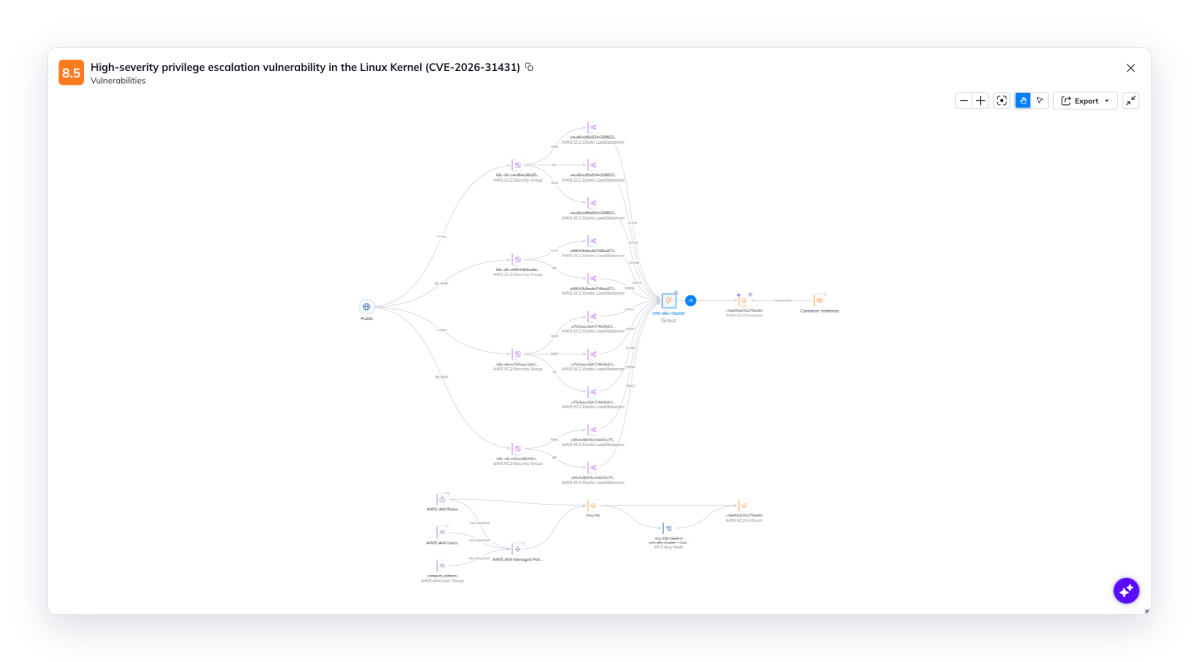
A node escape is only as dangerous as what the node can access. Use attack path analysis to see how an attacker could move to the cloud roles, secrets or crown jewel data within reach, all in one ranked path. That’s the alert you patch first.
Go further with Orca: Remediate, prevent, and prove progress
That’s the triage done. But finding the risk is only part of the job, and Orca helps with the rest too.
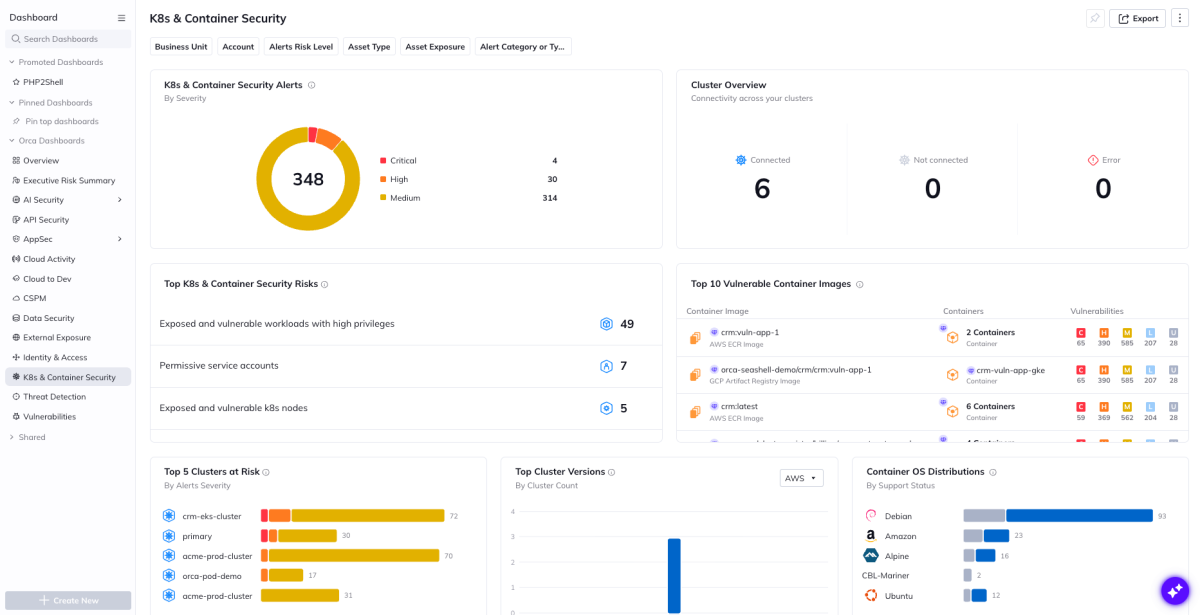
Prove progress to leadership. When leadership asks where things stand, you shouldn’t need to scramble and pull a spreadsheet together to answer. The K8s & Container Security dashboard shows how many clusters and nodes are still affected, and that number drops as patches roll out, so one view shows both your current risk and your progress.
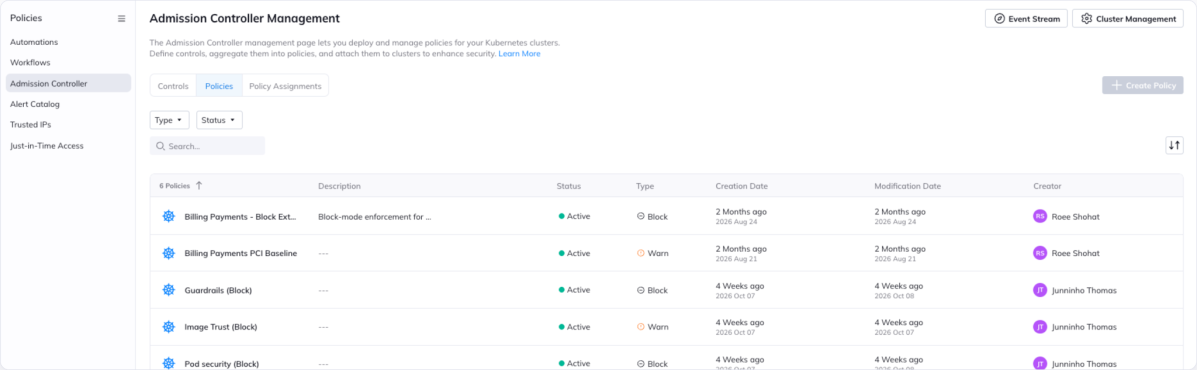
Patch without letting new risk in. Teams keep deploying while patches roll out, and every new pod is a possible foothold. Orca’s Admission Controller checks each workload before it’s admitted, stopping new privileged or host-namespace pods, which make it easier to take over a node from a compromised container, from landing in affected clusters. Policies can warn or block depending on what you need, and every decision is logged in Orca alongside the CVE you’re tracking.
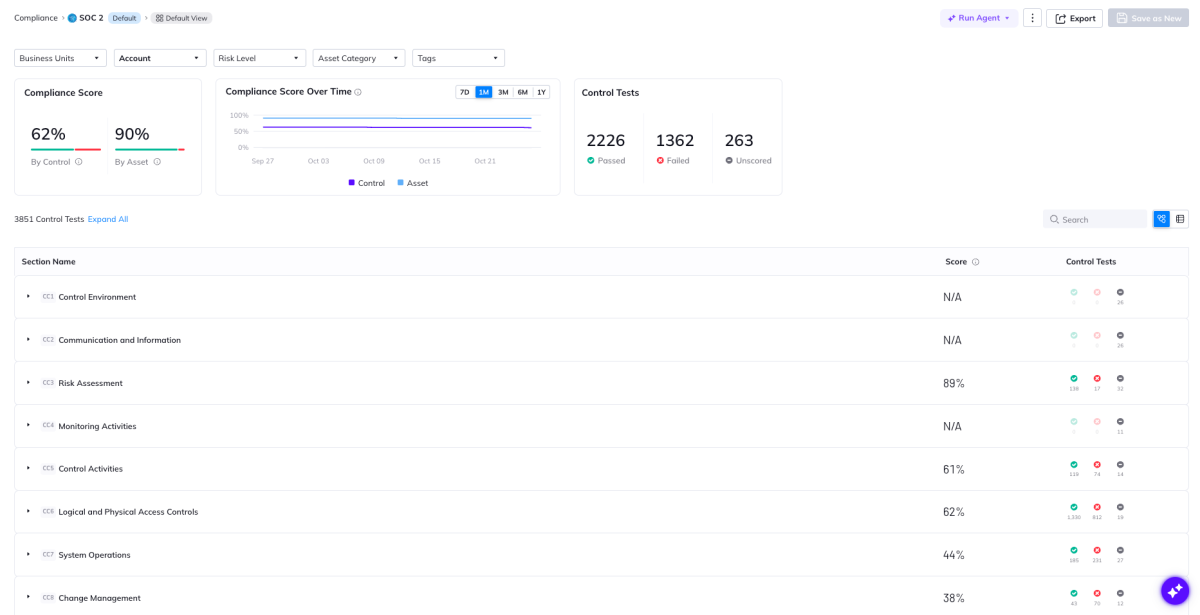
Stay audit-ready. An unpatched critical vulnerability is an audit finding waiting to happen. Orca automatically maps it to the regulatory compliance frameworks you report on, such as PCI DSS 4.0 and SOC 2, so you know which controls are affected now and have the evidence ready once remediation is done, instead of scrambling for it later.
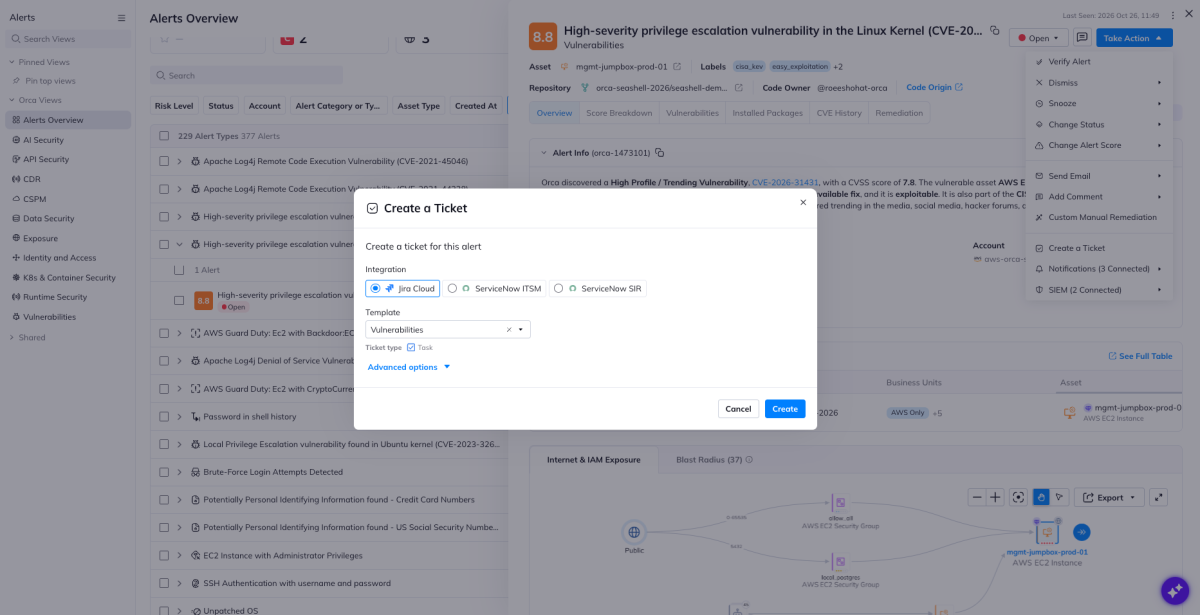
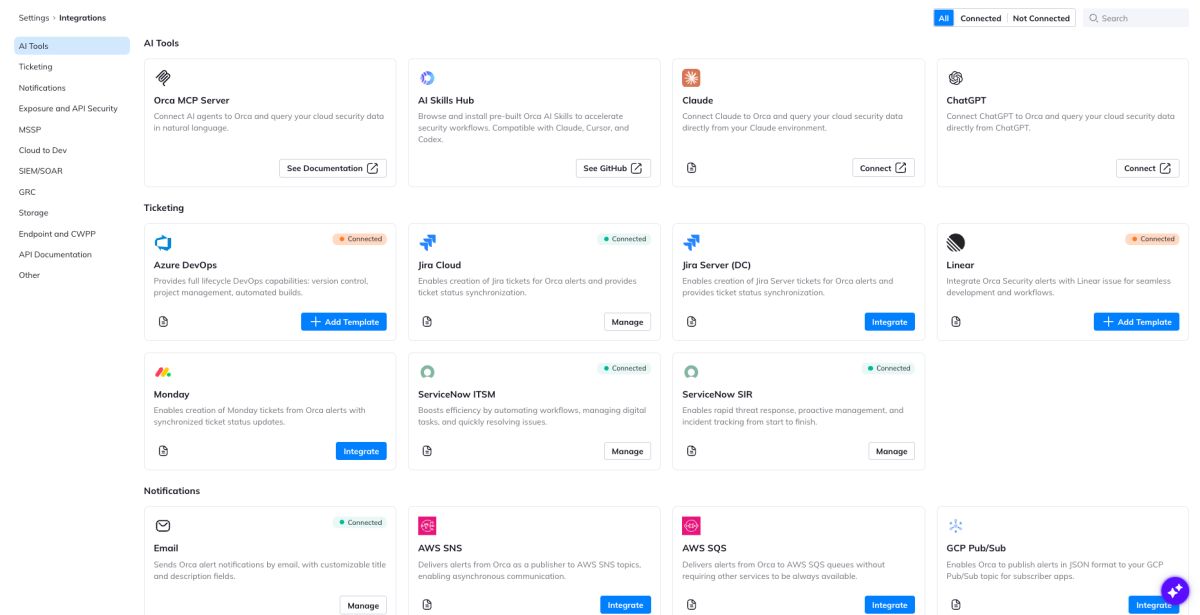
Cut the time to fix. Orca opens tickets in tools you already use with the affected nodes and fixed kernel version already filled in, so engineers start fixing instead of investigating, and you can track every ticket through to closure. Where patching has to wait, disabling the affected kernel module is a quick interim mitigation.
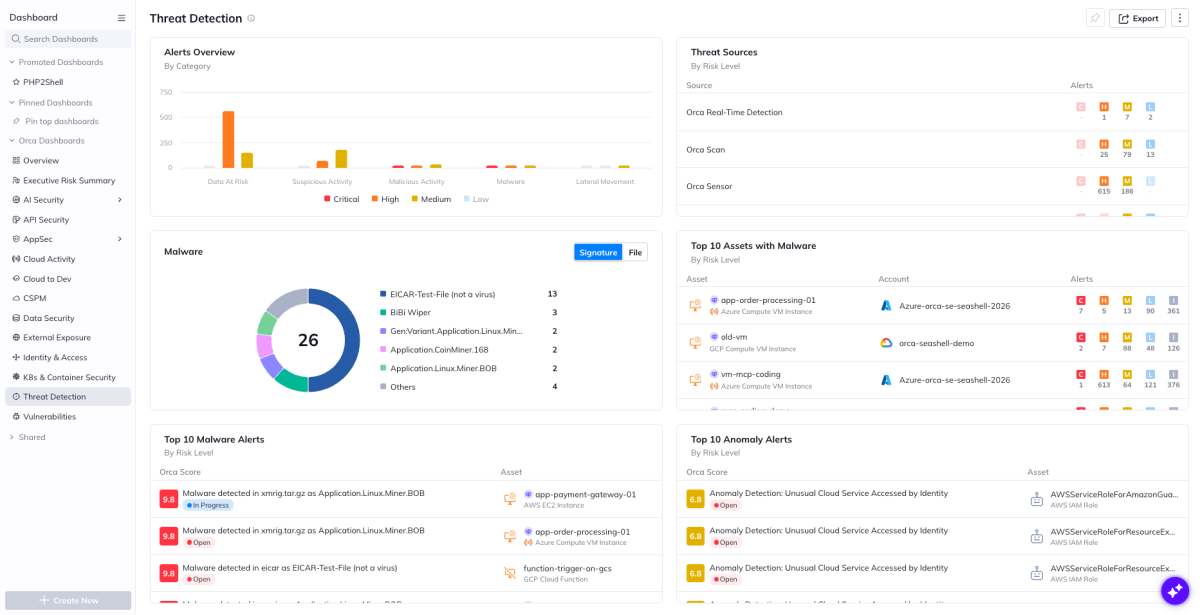
Catch an attack before the patch lands. Rolling new images across a fleet takes time, and that window is when attackers move. Orca’s cloud detection and response monitors affected workloads for suspicious activity, so if someone tries to use the foothold, you know right away and can respond.
Together, that’s the difference between knowing about a CVE and being done with it.
A repeatable workflow for the next Kubernetes CVE
Kubernetes CVEs aren’t slowing down, and patching everything the moment it’s disclosed isn’t realistic. The teams that stay ahead are the ones that know where those CVEs are throughout their environment, and which ones need to get remediated first.
Orca helps you do exactly that. From the first alert to the closed ticket, the Orca Cloud Security Platform shows you where a CVE runs, whether it’s exposed, whether it’s exploitable, what it can reach, and how it affects your compliance posture. Copy Fail is one example. The same workflow works for whatever CVE lands next.
See it in your own environment. Request a demo and we’ll walk through how Orca triages the Kubernetes CVEs that matter most to your clusters. To go deeper on Orca’s Kubernetes and Container Security capabilities, download the data sheet.




 Chat with an Orca Expert