

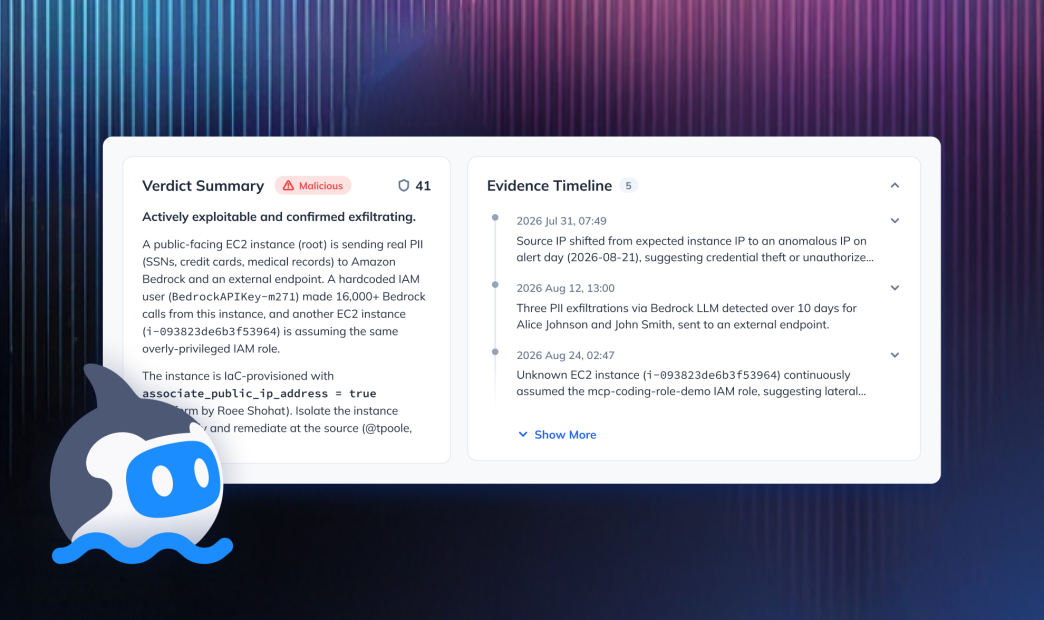

Use Orca’s pre-built Threat Investigator agent, or build your own with Orca’s MCP Server feeding the context?
It’s a choice every security team running Orca eventually has to make, and framing it as either/or isn’t the right approach. Orca’s Threat Investigator and custom agents are built for different problems. Most mature teams will end up running both, once they know which reasoning belongs where.
The Real Question Isn’t Which Agent to Use
Every security team eventually asks a version of the same question: what work should the platform automate for us, and what work should we automate ourselves? For a long time, vendors forced a bad answer. Either you got a rigid workflow that didn’t fit, or you got a pile of raw APIs and figured it out on your own.
Orca ships both. There’s a set of pre-built Core Agents, and there’s an MCP Server that exposes the same underlying data and reasoning to whatever tools your team already uses. So the question shifts. It’s no longer “does the vendor let me build my own?” It’s “which reasoning belongs in Orca’s agents, and which belongs in agents I build myself?”
The Threat Investigator agent is a good place to work that out.
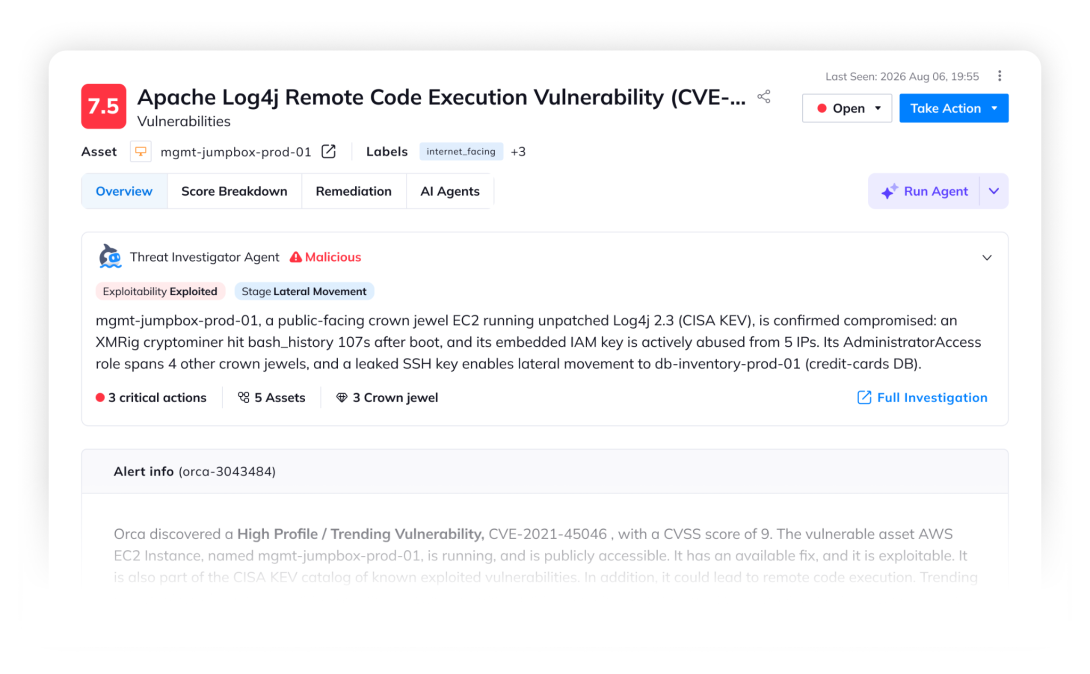
Threat Investigator verdict on an alert in the Orca Platform
What the Threat Investigator Actually Does
The Threat Investigator is a Blue Pod agent that runs a full investigation lifecycle on an Orca alert and returns a verdict, the evidence behind it, and ranked next actions.
It isn’t a single model call. It’s a coordinated team of specialized sub-agents:
- A Planner that reads the alert, picks the right playbook, and decomposes the work.
- Specialists for alert and asset context, exposure and vulnerabilities, identity and access, and runtime and CDR telemetry, each running in parallel against a narrow tool surface.
- A Critic that challenges every claim, demands evidence, and catches gaps before the report ships.
- A Report Writer that produces the structured verdict, timeline, and recommended actions the analyst sees.
Each investigation ends in one of three verdicts: Malicious, Suspicious, or Benign.
- Malicious: The specialists found evidence of active exploitation in cloud logs or runtime events.
- Suspicious: The risk can be exploited and the resource is exposed, but the specialists did not find any evidence of active exploitation.
- Benign: The specialists have found no evidence that makes the risk exploitable.
Every claim links back to the underlying CDR event, sensor alert, or Orca finding it’s based on. Each piece of evidence gets a confidence label of confirmed, inferred, or gap, so the analyst knows what the verdict rests on.
What’s Under the Hood
The multi-agent architecture is visible in the output. What isn’t visible, but matters just as much, is the engineering behind it. This is the part that separates a working prototype from something a security team can put in front of the alert queue and trust.
Guardrails. The agent knows what it shouldn’t do. It doesn’t invent evidence when the underlying tool call comes back empty. It doesn’t escalate confidence past what the sources support. It flags gaps by name rather than filling them with plausible-sounding text. Building that into a custom agent means writing the constraints, testing them against edge cases, and maintaining them as the underlying tools evolve.
Decision trees. A malware finding on a public-facing container gets investigated differently than a suspicious IAM permission change on a service account. The Planner routes each alert type through a playbook shaped for its category, with different specialists doing different work in different orders. Encoding that routing logic yourself is doable, but it’s real work, and it only pays off after you’ve tested it against enough alert types to know it’s stable.
Tool orchestration. Each specialist runs in parallel against a narrow tool surface, and the results have to be reconciled before the Critic reviews them. Handling the parallelism, the failure modes, the retries, and the reconciliation is the kind of infrastructure work that doesn’t show up in a demo but shows up the first time an investigation times out on a slow API call.
Per-use-case testing. The agent has been tested across the specific alert categories Orca customers actually see: compromised credentials, unusual API activity, exposed sensitive data, lateral movement patterns, and the rest of the common investigation cases. That testing surfaces the failure modes you’d otherwise discover in production. A custom agent starts from zero on this and gets to Orca’s level of coverage the same way Orca did, one use case at a time.
None of this argues against building your own. A skilled team on the MCP Server can absolutely build something similar. However, reaching the same operational depth and accuracy of results takes security domain skills and regular maintenance to keep playbooks updated.
When to Use the Threat Investigator
Volume triage, done consistently
If your queue is hundreds or thousands of alerts a week and most of them follow familiar patterns, this is the work Threat Investigator is built for. It runs correlation, evidence gathering, and blast radius analysis in parallel across the whole queue, so no signal waits in line behind another one. A first-year analyst gets the same investigation depth as a veteran, at the same time.
Investigations that need to be defensible
The Critic sub-agent, the cited evidence, and the confidence labels aren’t cosmetic. They exist because analysts, auditors, and regulators all need to know why the agent said what it said. When a verdict has to hold up to scrutiny for a compliance audit, an incident review, or board reporting, the multi-agent architecture and the transparent investigation log are doing real work you’d otherwise have to build yourself.
Standard alert types where the playbooks already exist
The agent pulls from cloud logs, asset context, related alerts, internet exposure, CVEs, IAM permissions, attack paths, sensitive data proximity, runtime sensor events, CDR audit logs, and compliance posture. For the alert categories those data sources cover, Orca’s playbooks are already dense and already tested. Rebuilding them to do the same job is duplicated effort you probably don’t want to sign up for.
When the output belongs in Orca
The verdict labels the alert directly (ai_agent:threat_investigation:malicious, suspicious, or benign), and the findings live in the Alerts page next to everything else you already track. If your team works alerts in Orca, Threat Investigator’s output lands where you’re already working.
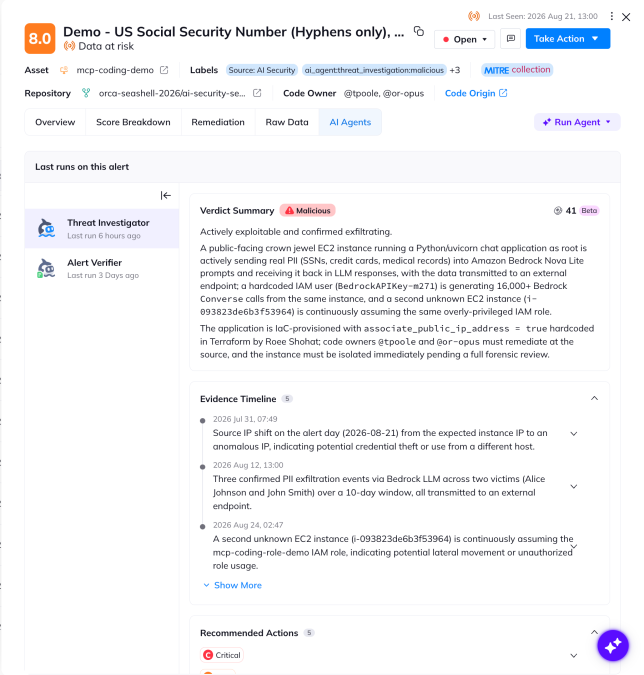
AI Agent tab on an alert in the Orca Platform
Within the Orca Platform, customers can see all of Orca AI agent activity related to an alert in an AI Agents tab. Customers can also view the full AI Agent feed that covers all Core Agents and Custom Agents built in Orca.
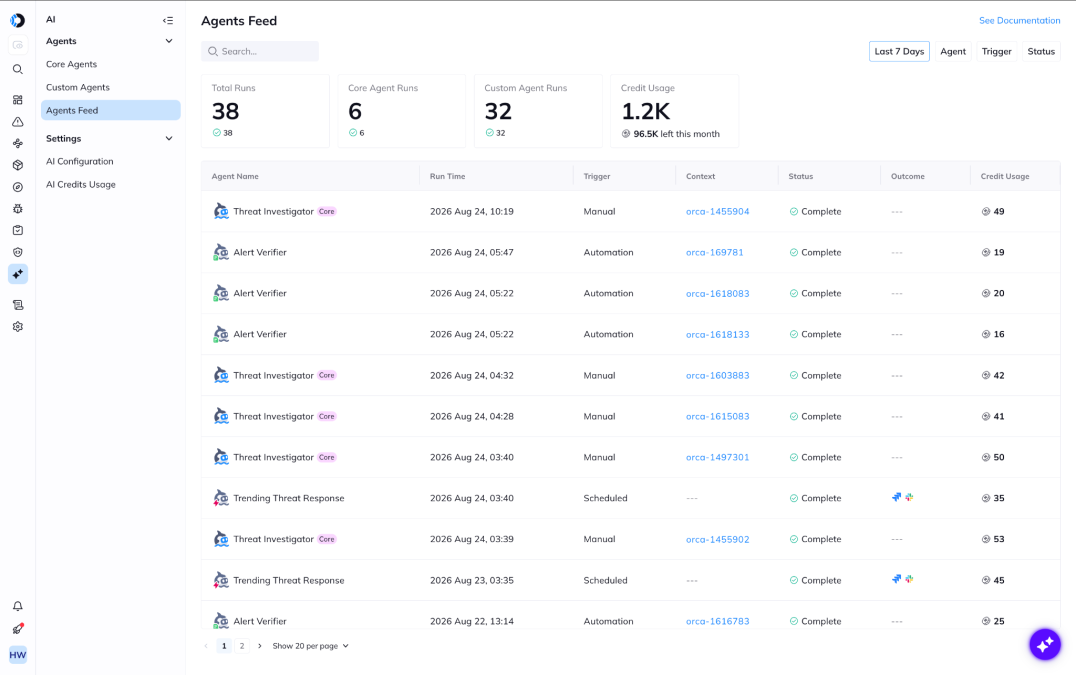
The feed of Orca AI Agent activity in the Orca Platform.
When to Build Your Own with the Orca MCP Server
The Orca MCP Server exposes the same Unified Data Model and reasoning fabric to Claude, Codex, Cursor, and whatever workflow orchestrator your team runs. You can build agents that reason over the same context Threat Investigator uses, shaped around workflows Orca’s out-of-the-box agents don’t cover. Apply security domain skills from our AI Skills Hub, or fork the repo and customize them to your organization’s needs.
Here’s when the custom path fits.
The investigation needs data outside Orca
Threat Investigator reasons over Orca’s Unified Data Model, which covers cloud, code, identities, data, runtime, and AI systems. It doesn’t reason over your SIEM’s non-cloud data, your HR system’s employee context, your customer support tickets, or your business intelligence tools.
A custom agent orchestrated through Claude or a workflow tool can call the Orca MCP Server for asset context, blast radius, and attack paths, then call your other systems for whatever additional context the investigation needs. Use this pattern when the question crosses Orca’s boundary.
The trigger isn’t an Orca alert
Threat Investigator runs on alerts inside Orca. A GitHub PR comment, a Slack message from a customer support rep, a calendar event before a change window, a webhook from your on-call system: none of those fire the pre-built agent. If your investigation starts from something Orca doesn’t natively see, building your own agent around the MCP Server is how you keep the reasoning consistent regardless of where the trigger came from.
The output belongs somewhere other than the Orca Platform
A developer working a ticket in their IDE doesn’t want to leave the IDE. A SOC lead reviewing the morning queue wants the summary in Slack. An executive wants the weekly rollup in their inbox. Custom agents let you keep the reasoning inside Orca’s Unified Data Model while delivering the output wherever the work actually happens.
The reasoning is genuinely yours
Every security team has playbooks that exist in senior analysts’ heads and nowhere else. Which applications are your crown jewels. Which controls have the shortest audit window. Which approval chain a containment action has to route through before it fires. That knowledge decides how work actually flows in your org, and no vendor default will ever cover it.
You have the team, and you’d rather own the logic end-to-end
Some teams have the engineering skill and the appetite to build. If your analysts already work fluently in Claude or a workflow orchestrator, and your team is ready to invest in the guardrails, decision trees, and testing that make an investigation agent reliable, building your own gets you the exact behavior you want and no vendor’s opinion baked into it.
That’s a real commitment. Reaching production-grade depth on standard investigation work is the same body of work Orca has already done. Building it isn’t the hard part. The hard part is deciding whether that engineering time is better spent here, or on the workflows Threat Investigator can’t handle.
The Split, Summarized
| Situation | Reach for |
| High-volume alert triage with familiar alert types | Threat Investigator |
| Evidence-cited verdicts for audit, compliance, or incident review | Threat Investigator |
| Investigation runs entirely on data Orca already has | Threat Investigator |
| Output belongs on the alert in Orca | Threat Investigator |
| Investigation needs data outside Orca | BYO agent on MCP Server |
| Trigger isn’t an Orca alert | BYO agent on MCP Server |
| Output belongs in an IDE, chat, ticketing, or executive workflow | BYO agent on MCP Server |
| Reasoning encodes org-specific playbooks or approval chains | BYO agent on MCP Server |
| Team has the skill and appetite to own the logic end-to-end | BYO agent on MCP Server |
Both paths run on the same Unified Data Model. The reasoning stays grounded in the same correlated picture of cloud, code, identities, data, and AI systems regardless of who built the agent or where it runs.
Most Teams Should End Up Running Both
The realistic picture for a team a year into this: Threat Investigator running against the alert queue, clearing the standard cases so analysts see a queue of decisions instead of a queue of unanswered questions. Custom agents handle the workflows Threat Investigator wasn’t built for: the cross-system investigations, the non-alert triggers, the org-specific playbooks. Both pull from the same Unified Data Model.
You’re not picking a lane. You’re putting the reasoning where the work happens.
Interested in seeing the Threat Investigator Agent and Orca’s MCP Server can help your team work the way they actually want to? Schedule a personalized 1:1 demo.
Security for the Companies that Build
Orca Security delivers security for the companies that build. As cloud, AI, and app generation expand the attack surface, the Orca Platform provides complete visibility, correlates risk, and prioritizes what matters most. Trusted by SAP, Autodesk, Gannett, Lemonade, and Digital Turbine. Backed by Temasek, CapitalG, ICONIQ Capital, and Redpoint Ventures.




 Chat with an Orca Expert