
Human beings make better informed decisions when provided context for why things are important. It should be no surprise that AI can perform better when given better context.
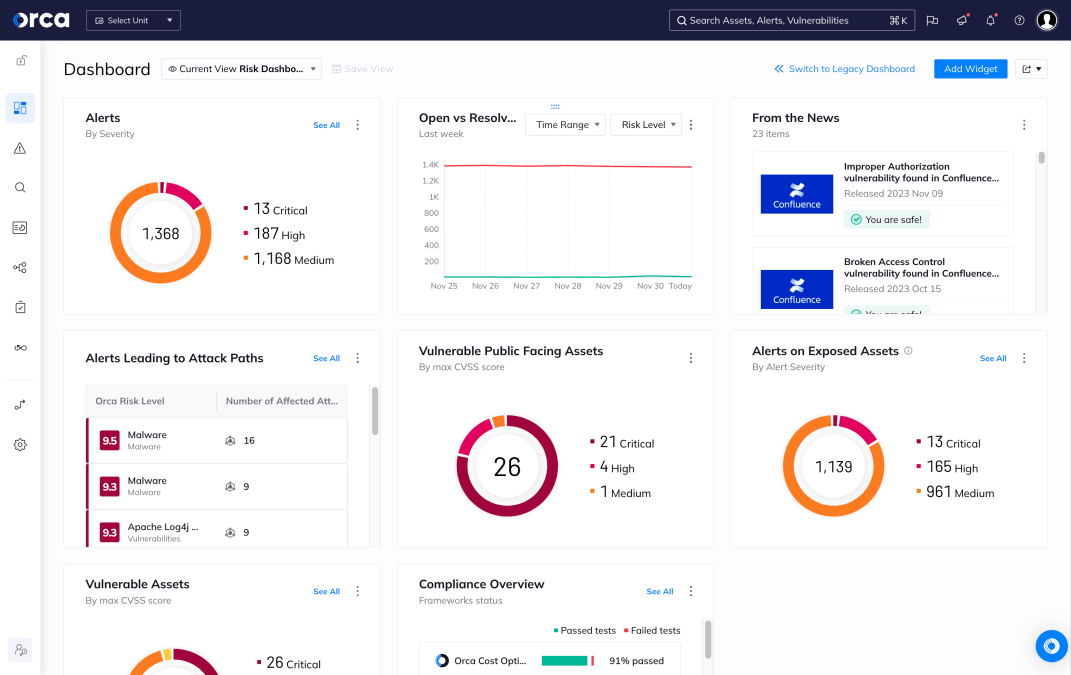
Cybersecurity has swung from extreme to extreme—from near zero observability when the cloud disrupted enterprise architecture to having way too much real-time telemetry. The challenge has become too much data—too much noise—without any surrounding logic to drive contextual insights.
Orca has met this challenge head-on through the Unified Data Model that drives opinionated context and remediation recommendations within the Orca Platform, as well as the Orca MCP Server that puts Orca intelligence at the fingertips of anyone using AI assistants to deliver security outcomes.
About the Orca MCP Server
Model Context Protocol (MCP) is an open standard introduced by Anthropic that allows AI assistants to connect and interact with other data sources. This innovation extends the relevance of GenAI to the data sources that matter most to operating your business.
The Orca MCP Server enables security teams to securely connect data from their Orca environment with Claude and other AI chatbots, making cloud security insights instantly accessible through natural language queries. This integration provides a growing set of MCP tools that security professionals can use to perform actions or calculations tapping into Orca’s intelligence without navigating complex interfaces or learning intricate query languages.
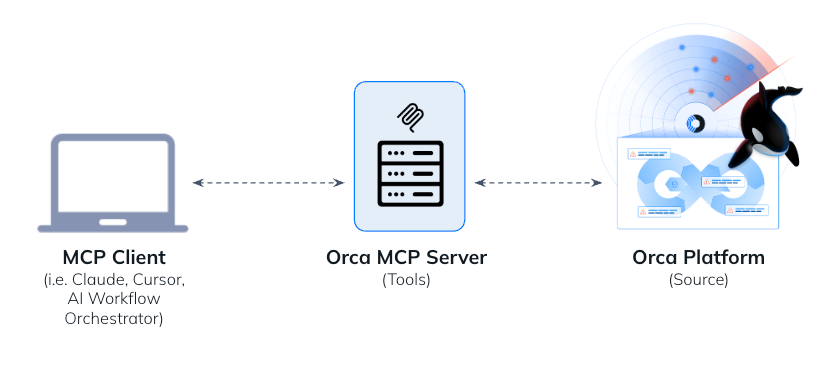
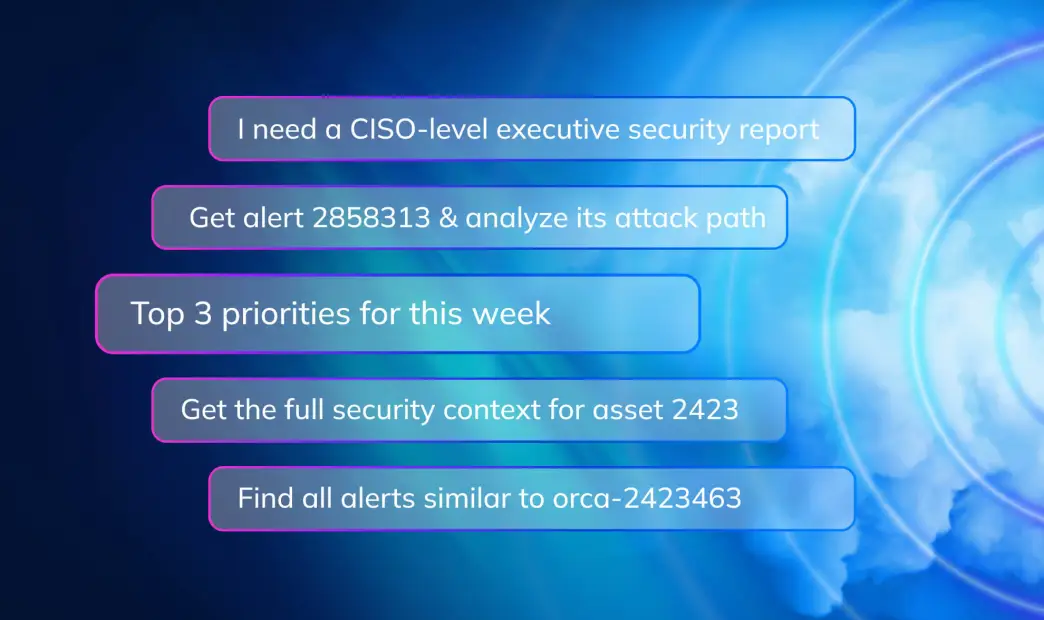
As you’ll see in the examples below, the prompts entered into Claude trigger Claude to extrapolate the goal and identify which of the available Orca MCP tools are suitable for getting the required data to generate the reports or answer the question.
Create an executive readout for the CISO
Scenario: A security analyst needs to generate a high-level summary of the current security posture for an executive briefing.
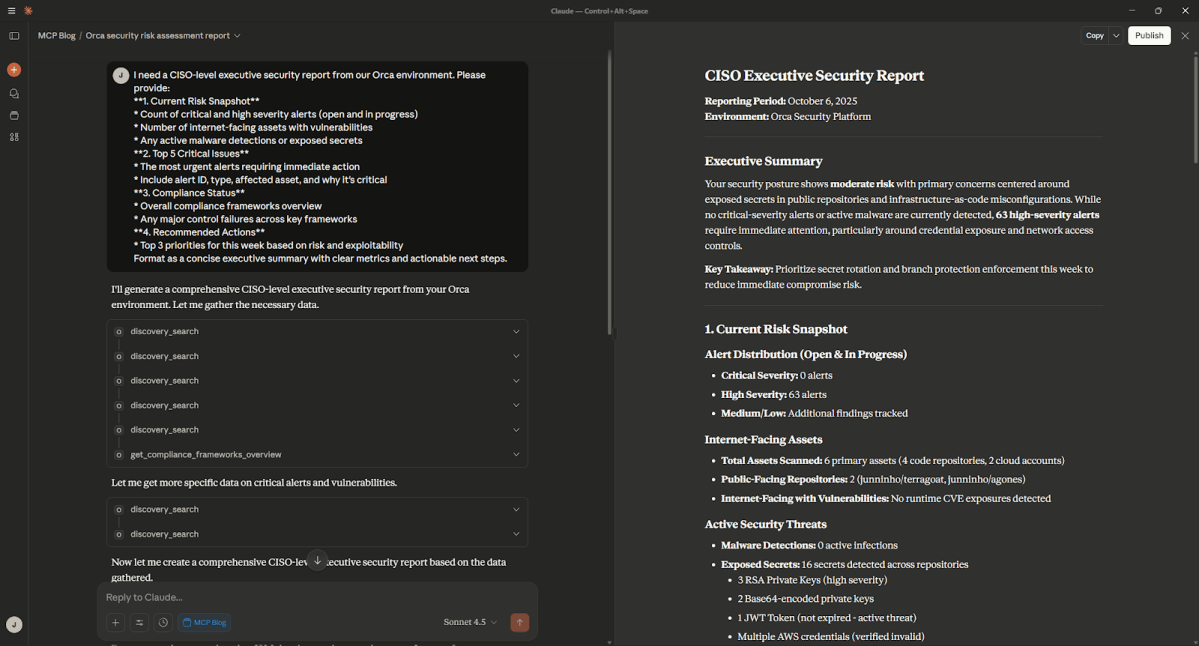
I need a CISO-level executive security report from our Orca environment. Please provide:
**1. Current Risk Snapshot**
* Count of critical and high severity alerts (open and in progress)
* Number of internet-facing assets with vulnerabilities
* Any active malware detections or exposed secrets
**2. Top 5 Critical Issues**
* The most urgent alerts requiring immediate action
* Include alert ID, type, affected asset, and why it's critical
**3. Compliance Status**
* Overall compliance frameworks overview
* Any major control failures across key frameworks
**4. Recommended Actions**
* Top 3 priorities for this week based on risk and exploitability
Format as a concise executive summary with clear metrics and actionable next steps.Explanation: This prompt directs Claude to perform discovery and calculations using data from the Orca Platform. Claude summarizes the information with an executive summary, then shares the details in the format described in the prompt.
Generate a remediation plan for a specific CVE
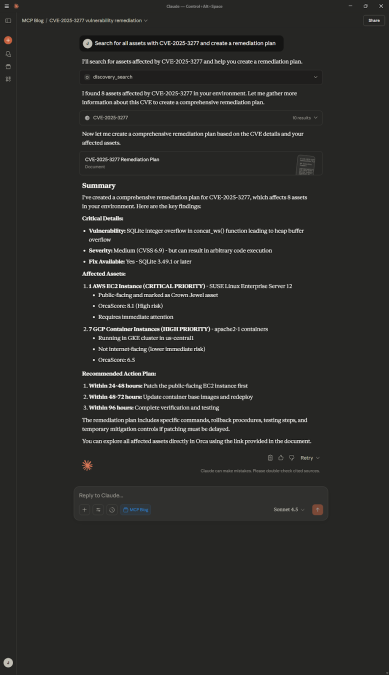
Scenario: A trending CVE hits the news. A security analyst needs to discover all assets that are impacted by the CVE and create a remediation plan.
Search for all assets with CVE-2025-3277 and create a remediation planExplanation: This prompt tells Claude to search the Orca Platform for all assets affected by a specific CVE, then searches the web to understand more about the CVE, including if there is a fix available. Then Claude creates a remediation plan by combining its knowledge from the web search with prioritized findings from the Orca Platform.
Gather detailed security context of a specific asset
Scenario: A security analyst is investigating a specific asset that might be compromised. They need to gather the full security context from the Orca Platform—all alerts, vulnerabilities, posture issues, and IAM permissions related to this asset.
Get the full security context for asset <asset_id> including all active alerts, posture issues, and permissionsExplanation: This prompt tells Claude to search for a specific asset in the Orca Platform and discover all aspects of the security context for the asset, using a variety of tools available in the Orca MCP Server. Claude organizes the findings by severity and prioritizes the issues that need to be fixed.

Determine if there’s a broader malware campaign
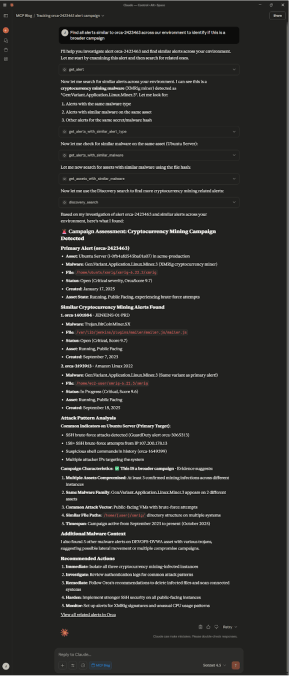
Scenario: A security analyst sees an alert for malware and wants to investigate if this is part of a broader campaign.
Find all alerts similar to orca-2423463 across our environment to identify if this is a broader campaignExplanation: This prompt starts Claude’s investigation journey with a specific alert. Then Claude determines the following steps—find alerts with the same malware type, alerts with similar malware on the same assets, and other alerts for the same file hash. Claude puts this information together to return details about the original alert, as well as similar alerts found, attack pattern analysis, and remediation recommendations, providing a security analyst a robust review without having to discover the information manually.
Summarize impact of critical alerts in progress
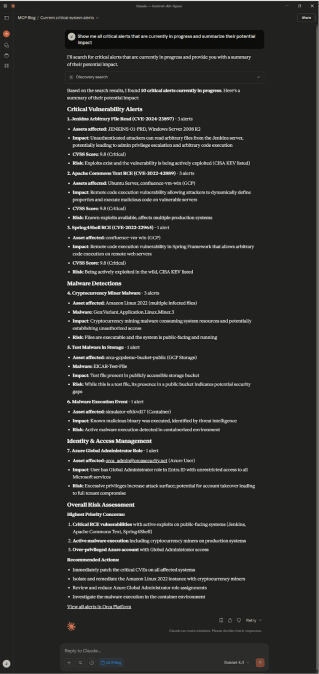
Scenario: A security leader wants to know what their biggest problems are right now to re-evaluate their team’s workload and focus.
Show me all critical alerts that are currently in progress and summarize their potential impactExplanation: Claude searches the Orca Platform for all critical alerts and returns a list of all critical alerts, along with a summary of impact and risk.
Analyze a specific attack path and blast radius
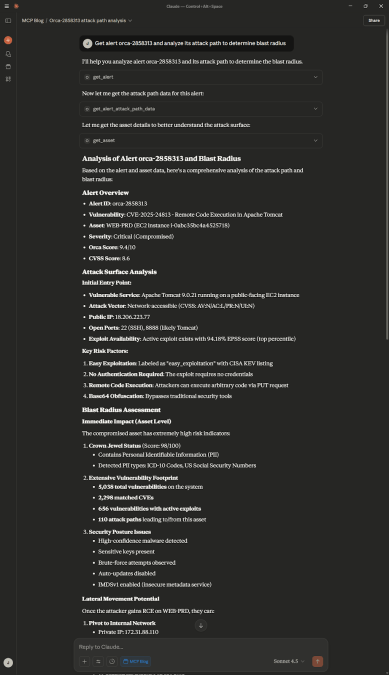
Scenario: A security analyst is tasked to understand the chain of events to compromise a crown jewel asset, as well as the size of the impact.
Get alert orca-2858313 and analyze its attack path to determine blast radiusExplanation: This prompt has Claude search for a specific alert in the Orca Platform, the attack path data, and the asset details to provide a full analysis and determine the blast radius of impact. While the screenshot below doesn’t include a full readout of the response, viewers can quickly gather the initial entry point, lateral movement potential, and other key risk factors related to this attack path.
Learn more about Orca
The Orca MCP Server is available to all customers. To get set up, check out this documentation.
If you’re not yet a customer of Orca, but would like to explore how the Orca Platform can support your cloud security journey, sign up for a demo.
Table of contents
- About the Orca MCP Server
- Create an executive readout for the CISO
- Generate a remediation plan for a specific CVE
- Gather detailed security context of a specific asset
- Determine if there’s a broader malware campaign
- Summarize impact of critical alerts in progress
- Analyze a specific attack path and blast radius