
Orca SideScanning
Agentless Cloud and AI Security
See your asset inventory in minutes and your security gaps prioritized in 24 hours, without sending a single packet over the network or running a single line of code in your environment.
The Challenge
Agent-Based Solutions Don’t Scale in the Cloud
Traditional agents require tedious integration with each workload, causing dangerous blind spots, high TCO, performance degradation, and limiting the ability of your already overworked IT and DevOps teams to move at cloud speed. Vendors that offer an ‘agentless’ option in addition to their agent-based solution, often have hidden limitations and increase complexity even more.
Partial deployment of agents causes serious blind spots. On average, we found that less than 50% of assets are covered by agent-based solutions.
If security does not integrate effortlessly with DevOps workflows, priority mismatches and confusion about team responsibilities will lead to frustration and remediation delays.
Running agents on workloads has a significant impact on asset performance and system resources, especially if assets need multiple agents installed for different point solutions.
Our Approach
Cloud Security Purpose-Built for the Cloud
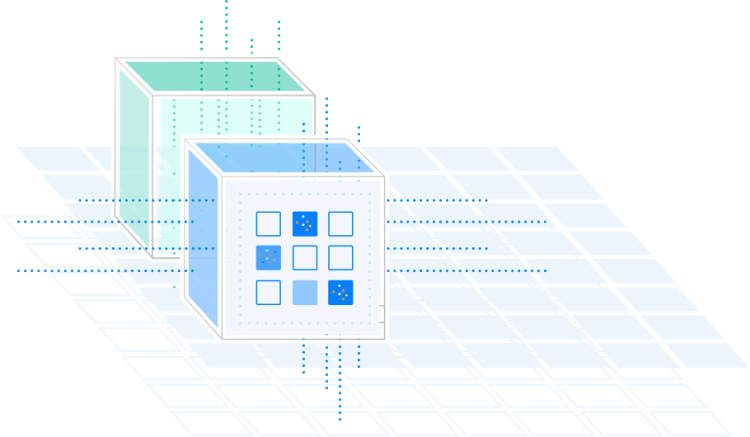
Orca’s SideScanning addresses the shortcomings of agent-based solutions by collecting data from the workloads’ runtime block storage without requiring agents. Orca then reconstructs the workload’s file system—OS, applications, and data—in a virtual read-only view, and performs a full risk analysis with zero performance impact on the workloads themselves.

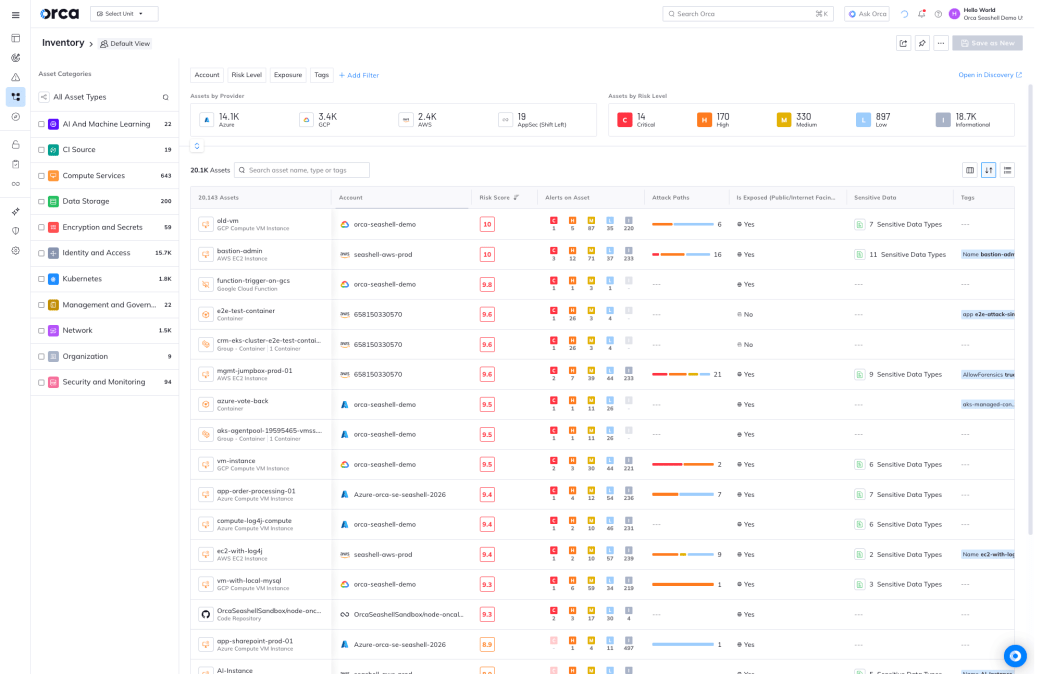
Know your true cloud exposure and prove to the board your risk is under control.

Govern every AI system in your cloud before it becomes a liability on your watch.

Catch risky code before it reaches production.

Harden every cloud workload without slowing your pipelines down.

Catch cloud and AI attacks as they unfold and contain the blast radius.
An ‘MRI’ for your cloud estate
SideScanning is a bit like a medical MRI scanner – instead of using needles and scalpels, the MRI machine diagnoses health issues through non-invasive scanning of organs and tissue. SideScanning is similar in that it scans all cloud assets and their interconnectivity, providing deep and wide visibility into the entire cloud estate, without affecting the assets in any way.
Capturing workload telemetry no other solution can
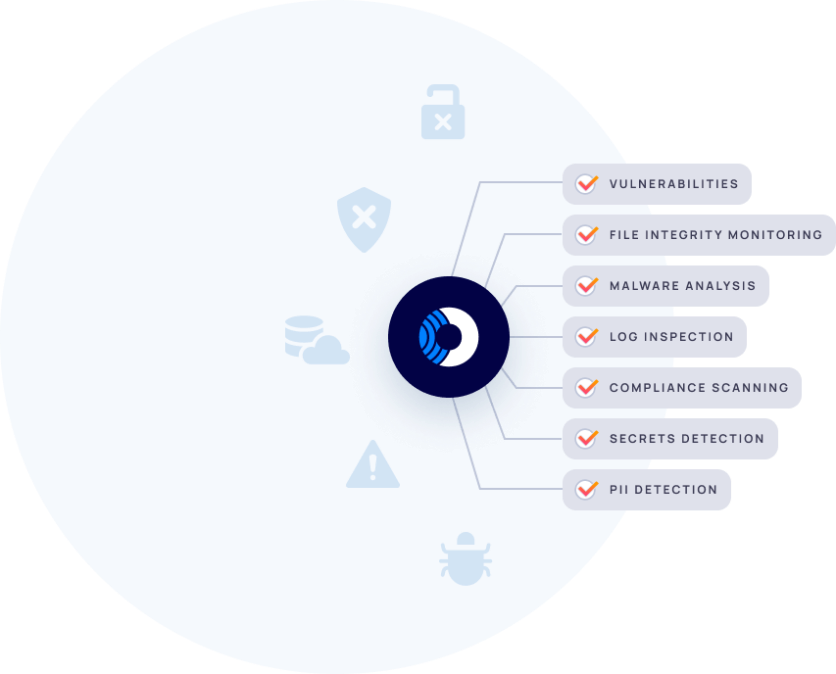
SideScanning covers all major workload types, including Linux and Windows VMs, containers and container images, and serverless functions. While most solutions only identify basic vulnerabilities, Orca provides detailed data on compliance issues, log inspection, file integrity monitoring, malware analysis, and more to offer telemetry that other solutions lack.
Related Resources


Orca SideScanning™ Technical Brief
Solution Brief Orca SideScanning™ Technical Brief In this technical brief, go under the hood and discover how Orca’s patented SideScanning…

Paidy Turns to Orca Security for Multi-Cloud Visibility, Saves Two FTEs and $500,000/Year in Cloud Security Management Costs
Paidy – a Japanese Financial Institution in the Cloud Paidy is a Fintech leader in delivering cardless payments and other…
Orca Cloud Security Platform Delivers 198% ROI
Report Orca Cloud Security Platform Delivers 198% ROI In this updated 2026 Return on Investment (ROI) analysis, TAG Analysts evaluated…
Frequently Asked Questions
A good analogy for SideScanning is a medical MRI scanner. Instead of using needles and scalpels to conduct invasive exploratory surgery, the MRI machine diagnoses health issues through non-invasive scanning to obtain a detailed picture of all organs and tissues. The patient is never actually touched by the physician during the procedure.
SideScanning is similar in that it visualizes all cloud assets and connectivity to build a complete model of your cloud environment. It then uses this model to determine risk in the proper context without affecting cloud assets or their functionality in any way.
Orca SideScanning doesn’t run on your workloads so it can examine 100% of your cloud environment without impacting your workload performance. And since the SideScanning process doesn’t use agents that require installation, it can be deployed at any time and won’t impact your IT or DevOps teams.
Orca’s patented SideScanning technology deploys in minutes and covers all cloud assets including virtual machines, cloud storage buckets, all types of containers and serverless functions in any mode of deployment, and much more. SideScanning makes it possible to create a comprehensive risk profile of your entire cloud estate – and without sending a single packet over the network or running a single line of code in your environment. Orca’s SideScanning also provides detailed data on compliance issues, file integrity monitoring, log inspection, malware analysis, and more to offer telemetry that other solutions lack.
No. Since the Orca Platform integrates via a cloud provider’s shared virtualization infrastructure and reads the workloads’ run-time block storage out of band, rather than running on the workload itself, it can examine 100% of your cloud environment without sending a single packet over the network or running a single line of code in your environment. The result: no downtime and no impact on workloads or users.
Security solutions that rely on agents or network scanners are slow to deploy and have a significant impact on asset performance. Because it is virtually impossible to deploy agents everywhere, some assets will inevitably be exposed to security threats. And network scanners require open ports that may pose a security risk if not configured and maintained correctly.
The Orca platform deploys in minutes, rather than days or weeks, and it has zero impact on asset performance. Orca also eliminates the risk of visibility gaps as it automatically discovers and monitors all assets across your cloud estate and does not require any updates as new assets are added.
With Orca’s SideScanning technology, you can instantly detect critical cloud security risks across your entire cloud estate without the use of agents or network scanners, avoiding the gaps in coverage, organizational friction, high maintenance costs, and slow deployment times associated with these legacy technologies.
Orca collects metadata from cloud accounts and workloads. This metadata includes security groups, network configurations, vulnerabilities, policies, and other configuration settings.
Below are some examples of the types of data that Orca collects:
Cloud configuration data:
- Subnets configuration
- IAM configuration and permission list
- VPC configuration
- ELB configuration
- List of running assets
Cloud security issues:
- A vulnerability has been found on VM – X
- Malware was found on container – Y
- PII has been detected on VM – Z
- VM X has SSH enabled with username and password

Chat with Us
See Orca Security in Action
Gain visibility, achieve compliance, and prioritize risks with the Orca Cloud Security Platform.
 Chat with an Orca Expert
No Slack account required.