


Table of contents
Update August 7, 2026: Orca is now listed on the Claude Connector Directory.
For a while, a chat box was enough. You asked an agent a question, it gave you a few sentences back, and you moved on. The interface matched the work.
That stopped being true. Agents now return whole investigations. Ask Claude to triage an alert and it calls Orca’s MCP tools to pull the asset, the attack path, the blast radius, the compliance impact, and the remediation steps. That is exactly what you wanted. It is also 200 lines of Markdown you now have to scroll, parse, and hold in your head.
The bottleneck moved. Getting the answer used to be the hard part. Now the hard part is reading it.
Anthropic’s Claude Code team made the same observation recently: past about a hundred lines, nobody actually reads the Markdown. They started reaching for richer formats instead. The same problem shows up anywhere an agent does real security work, and the fix is the same. The interface has to carry as much information as the answer does.
Here is how that plays out across three levels, using the kind of work security teams actually do in Orca.
Level 1: Claude draws its own visuals, in the chat
The first thing worth knowing is that you do not need a special integration for this. Claude can build a visualization on its own, inline, from the data it just pulled.
Ask Claude for a SOC 2 posture review through the compliance gap skill and you do not get a paragraph describing your score. You get a rendered view that ranks what is failing by how much it actually affects and points you at the fastest fixes.
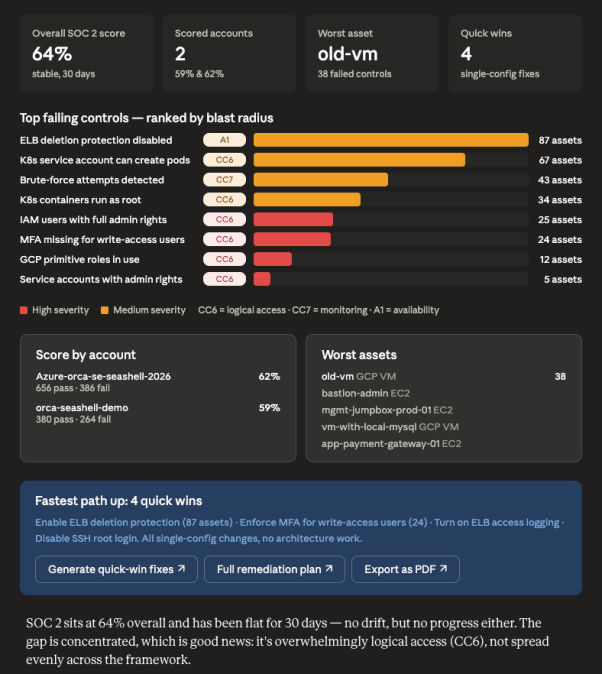
The value is not decoration. When a failing control is sized by the number of assets behind it, you can see where to spend the next hour. The same facts in a bulleted list make you do that ranking in your head. The visual does the prioritization work for you, which is the whole point of context-driven security.
Before you build anything, Claude can already turn a query result into something you read in five seconds instead of five minutes.
Level 2: HTML files for the work you need to share
In-chat visuals are great for a quick read. But some outputs need to live longer than the conversation. You want to send them to an engineering lead, drop them in a ticket, or keep them as a reference.
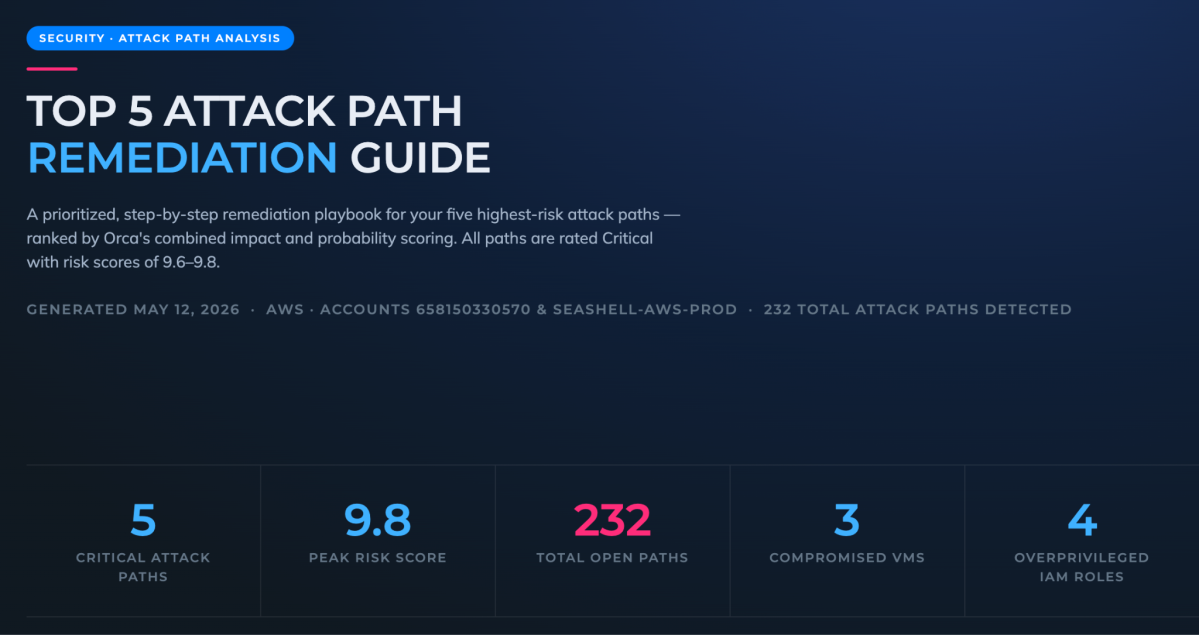
That is where generating an HTML file pays off. Ask Claude to build a remediation guide for your top attack paths and it pulls the data through Orca’s MCP tools and produces a standalone playbook: the highest-risk paths ranked, then each one drilled into from entry point to crown jewel.
Each path gets its own section that walks the chain hop by hop and flags what makes it dangerous.
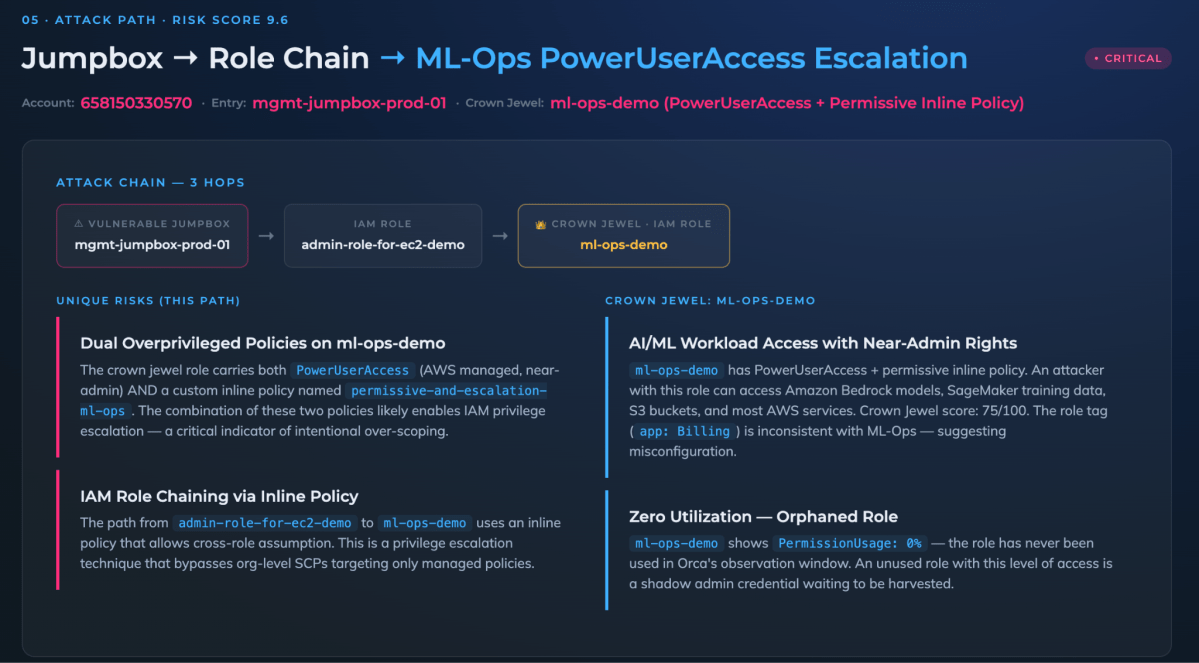
HTML carries all of that without compromise. The diagrams, the severity, and the specifics that make each hop dangerous all sit in one file. More importantly, you can share it as an artifact. The odds that a busy engineering lead reads your attack-path writeup go way up when it opens in a browser instead of sitting in a wall of text they have to scroll.
In-chat for speed, HTML files for anything that has to travel.
Level 3: Interactive tools you can act on
The first two levels make the agent’s findings easier to read. The third makes them easier to act on, and this is where it stops being a document and starts being part of the platform.
Orca’s interactive tools are built on MCP Apps, an extension to the Model Context Protocol that lets a server return a live, interactive interface that renders right inside the conversation. Not a screenshot of the platform. The platform, in the chat.
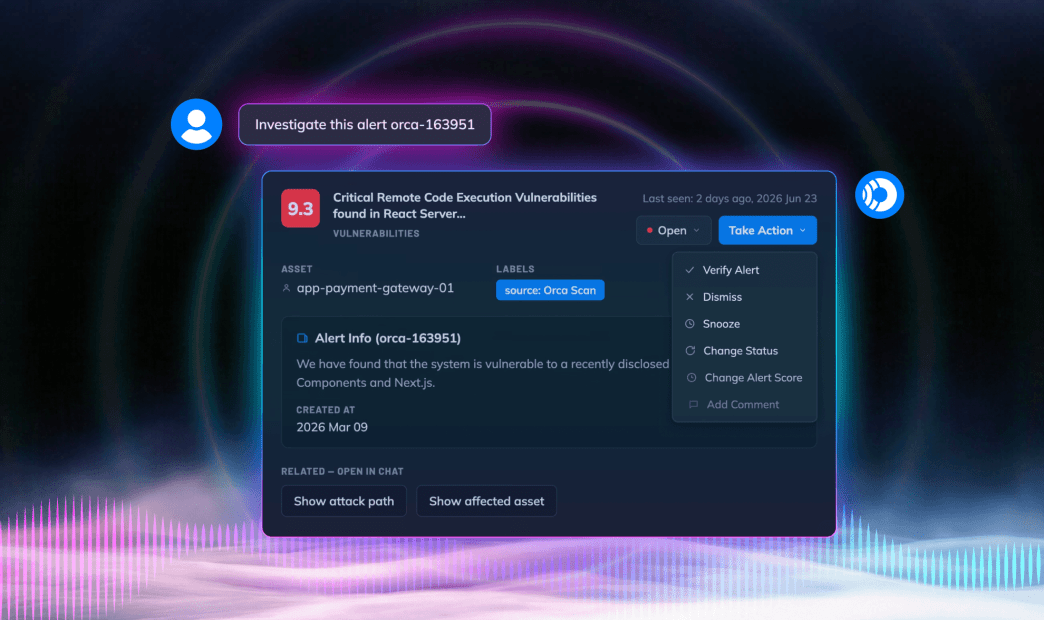
Pull up a critical alert and you get a real card, with a Take Action menu carrying the moves you would otherwise log into the console for. You triage the alert from the same place you were just discussing it.
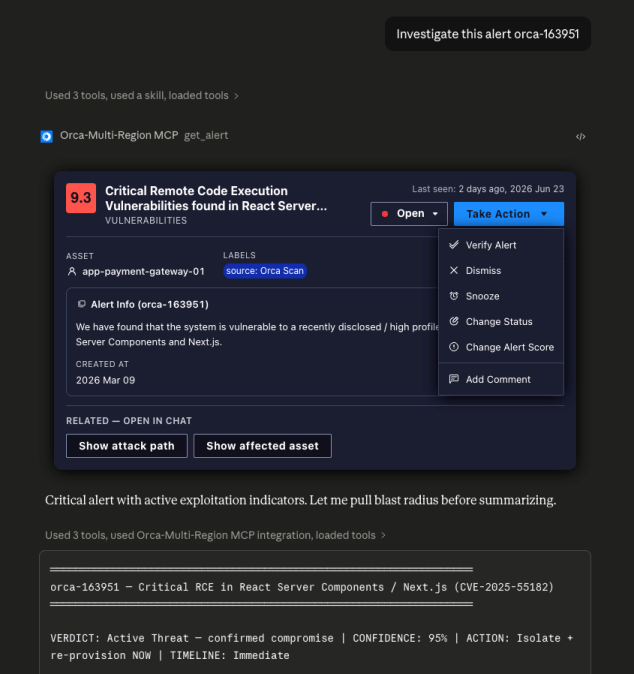
The card also surfaces the next logical step. Buttons that show the attack path or the affected asset trigger the relevant follow-up without you typing another prompt. Click into the asset and you get its full profile, with the next question already a button away.
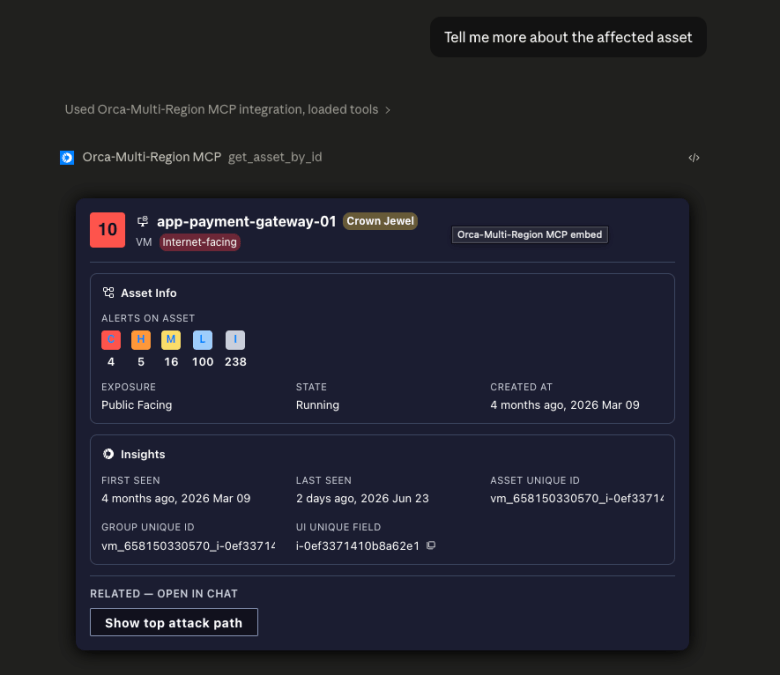
The visual layer matters here, but it is not the only reason this works. A few other things come with the MCP Apps approach:
- Context preservation: The interface lives in the conversation. You are not switching tabs and losing the thread that led you to the alert in the first place.
- Bidirectional flow: The app calls Orca tools directly and the host pushes fresh results back. You read, you act, and the view updates to reflect what you just did.
- Familiar structure: A card with a status and an action menu reads like the console your team already knows. The chat does not ask analysts to learn a new mental model. It brings the one they have into the conversation.
The agent’s findings and the actions you take on them now live in the same place.
So What
Text is not going away, and it should not. Plenty of answers are still one sentence long, and a chat box handles those fine.
The point is that the interface should match the size of the answer. When an agent hands you a full investigation, a paragraph is the wrong container. A visual you read in seconds is better. A shareable HTML report is better when the work has to travel. A live, interactive card is better still when you need to act, not just read.
For a security team, that is the difference between an assistant that tells you what it found and one you actually run your day from. The conversation becomes the place where you see the risk and resolve it, without the tab-switching tax in between. That is what shifting security into the workflow was supposed to mean all along.
The Orca MCP server and its interactive tools are available to all Orca customers. To get set up, check the documentation. Not a customer yet? Sign up for a demo.




 Chat with an Orca Expert