


Table of contents
- AI Is Changing Who Can Do Security Work, and How Much They Can Handle
- The Day-to-Day Security Workflow Has Changed. Here’s What That Looks Like in Practice
- The Core Cloud Threat Vectors Haven’t Changed With AI. They’ve Just Gotten Faster and Harder to Contain
- Effective AI Guardrails Require Cloud Controls, Model-Level Rules, and Architecture Working Together
- Most AI Security Concerns Are Real. Most AI Security Vendor Pitches Aren’t
- Watch the full panel
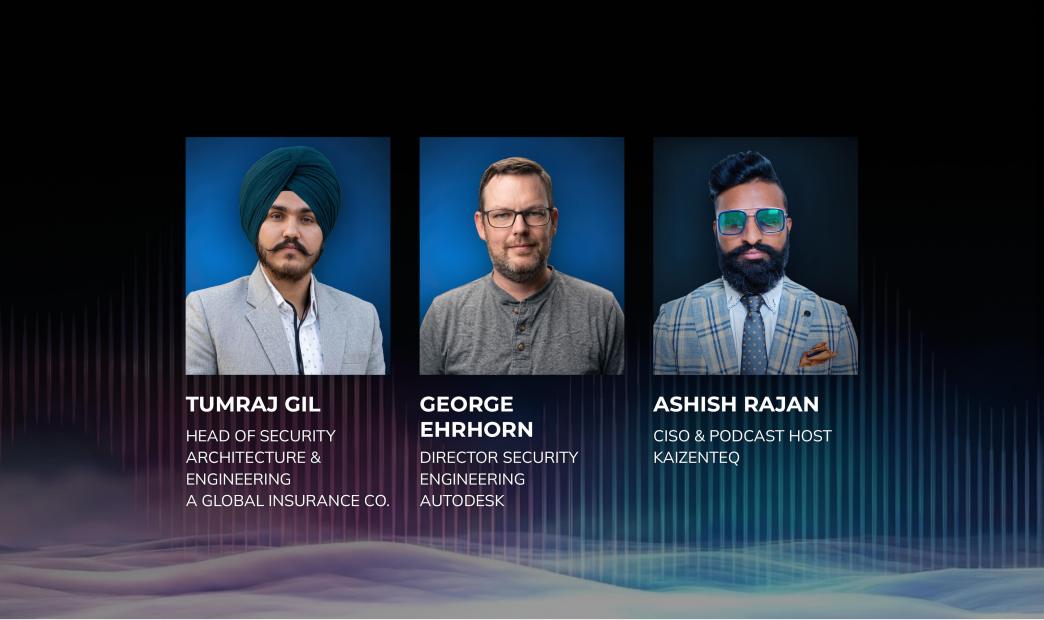
From Cloud Security LIVE 2026. Moderated by Ashish Rajan, CISO, Kaizanteq and host of the Cloud Security Podcast. Featuring George Ehrhorn, Sr Director, Product & Platform Trust, Autodesk | Tumraj Gil, Head of Security Architecture and Engineering, a global insurance provider
At Cloud Security LIVE 2026, Ashish Rajan sat down with George Ehrhorn, Sr Director of Product and Platform Trust at Autodesk, and Tumraj Gil, Head of Security Architecture and Engineering at a global insurance provider. We asked them what they are actually doing, what has changed in their workflows, and where they think the real risks are. Not predictions. Peer-level takes from people doing the job.
Four questions drove the conversation:
- How is AI changing what security teams can do, and who can do it?
- Has the personal security workflow actually changed, or is this still hype?
- Are the core cloud threat vectors different with AI workloads, or just faster?
- How do you separate genuine AI security risk from security theater?
AI Is Changing Who Can Do Security Work, and How Much They Can Handle
Ashish Rajan opened by asking how AI is actually changing security teams — not in theory, but in practice.
Ehrhorn: “The two things that come to mind are the democratization of who can develop a solution, and issues of scale. People who have been locked out of building functional solutions can now do it with ease. And on scale: if you have the ability to programmatically pull data, do analysis, generate output that is reliably useful, you can go from doing five things a month to a thousand. It’s really about trying to solve problems on your entire codebase at once.”
Tumraj Gil: “The speed of everything is happening. Business is trying to embed AI into processes because they want efficiency and productivity, and they want to do it yesterday. The pace of solutioning has gone from 10 to 80 within a year, and teams have not grown. So obviously, security teams have to utilize AI in their daily workloads. With any emerging technology, cloud, blockchain, AI — but the speed with which AI has come, we have not seen that speed so far with any other adoption.”
Rajan asked whether teams are actually using tools like Cursor, Claude Code, and Copilot in practice.
Ehrhorn: “If there’s a software engineering tool out there, someone’s using it. We’ve gone through rapid shifts: VS Code with Copilot, then Cursor, then Claude Code, now on to things that aren’t even out yet. This is an area where security teams need to practice calculated risk-taking. People often ask, what’s the downside? But we also need to ask what’s the upside. Some of the people I work closely with have jobs that are fundamentally unrecognizable from where they were a year ago.”
The Day-to-Day Security Workflow Has Changed. Here’s What That Looks Like in Practice
Rajan pressed on whether AI is changing the day-to-day work of security leaders themselves, or whether that is still an aspiration.
Ehrhorn: “I’ve been using AI to manage my information. I use tools like Cursor or Claude Code to structure my thoughts, my schedule, and my meeting notes as a series of markdown files stored locally. It’s helpful to be able to ask my second markdown brain: I’m having a one-on-one with Hardeep today, what do I need to cover? Recently, rather than write a Wiki page on how we do comms review before something goes out, I developed a skill with a mode for submitting and a mode for reviewing. I shared it with my team. That’s something where previously maybe someone reads the Wiki page, maybe doesn’t. Here it’s a runnable utility that gets you closer to the outcome.”
Tumraj Gil: “On a personal level, what used to happen doing a threat assessment is a lot of back and forth with frameworks: what does NIST say, what does CIS say, how does governance play into it. Now it’s just a bot with a knowledge source at the back end. You ask a question, it produces an exact answer, even quotes the verbiage from the standard. And asset inventory is something I focus a lot on. My biggest take is: if I can’t see something, I can’t secure it. AI tooling for keeping that inventory current is one of the most important things.”
The Core Cloud Threat Vectors Haven’t Changed With AI. They’ve Just Gotten Faster and Harder to Contain
Rajan asked whether the core cloud threat vectors — identity, misconfiguration, exposed services — are fundamentally different with AI workloads.
Tumraj Gil: “I would not say it has changed. I would say it has evolved. AI models are still dependent on OS packages, supply chain dependencies, cloud VM configurations. But it has enhanced how these things can be exploited. An OSS package vulnerability has higher potential to be exploited because of how fast AI processes data. And then there are genuinely new risks: we have not seen prompt injection before in the way we see it now. An automated bot reading an email and acting on an injected instruction — that is something new. Organizations are just trying to figure out how to put guardrails around it.”
Ehrhorn: “Every year, more software gets written. Now it’s written by more people and more agents. If you have more software, you have more software bugs. You can have a security bug that was first created by an agent, second detected by an agent, and third fixed by an agent in an unvirtuous circle. And when a core component of a system is an LLM, what it’s capable of doing becomes a lot. It’s almost like an arbitrary exec engine that you can try to put guardrails on.”
Effective AI Guardrails Require Cloud Controls, Model-Level Rules, and Architecture Working Together
Rajan asked how to approach cloud-native versus third-party versus LLM-provider guardrails for AI workloads.
Tumraj Gil: “Guardrails cannot be applied through cloud native guardrails alone, or AI guardrails alone, or a third party tool alone. It has to be a combination in a use case. Input and output validation wrappers. Model-level guardrails. Cloud configuration controls. Bot identity with just-in-time permissions. Control the privilege on the process, not on the system. When you put these together, you can say: our app has guardrails, and the guardrails are X, Y, Z.”
Ehrhorn: “That also encourages good system architecture by specializing the agents. If you have multiple agents acting in concert, you can further constrain the system by entitling each of them for their specialized tasks and permissions. This is just the next evolution of defense-in-depth, which we’ve been saying for forever.”
Most AI Security Concerns Are Real. Most AI Security Vendor Pitches Aren’t
Ehrhorn: “We’ve had the same conversation when wireless became possible, or when SaaS and multitenancy happened. People trying to sell you solutions to something that doesn’t match what you’re trying to do has existed for a long time. Start with: what’s the business outcome you want to achieve? You’re not trying to implement an AI tool. You’re trying to solve a problem. What does that problem being solved look like? And then test for your specific use cases. Nothing on this run is mature. It’s changing so fast.”
Tumraj Gil: “Accepting that AI is here is the starting point. It’s not a pushback. Keep track of what is actually being exploited in the wild. If there is research on a prompt injection vulnerability, go look at how it can impact your enterprise and how you can mitigate it. The real threat is when it’s actually exploiting or aiding in the exploitation of the environment. Usage of something is not a problem if it’s clean, hygienic from a security perspective, and following good architecture practice.”
Watch the full panel
George and Tumraj covered a lot more ground than what’s here, including: a specific architectural breach case study, how both practitioners are using AI in their own workflows day-to-day, and what they would do differently if they were starting their AI security programs from scratch. Watch the full session here.
Table of contents
- AI Is Changing Who Can Do Security Work, and How Much They Can Handle
- The Day-to-Day Security Workflow Has Changed. Here's What That Looks Like in Practice
- The Core Cloud Threat Vectors Haven't Changed With AI. They've Just Gotten Faster and Harder to Contain
- Effective AI Guardrails Require Cloud Controls, Model-Level Rules, and Architecture Working Together
- Most AI Security Concerns Are Real. Most AI Security Vendor Pitches Aren't
- Watch the full panel





 Chat with an Orca Expert